Community spaces
Embed

<a href="https://forumulate.com/guides/forum"><img src="https://forumulate.com/guides/_api/public/orgs/046a9bc0-d530-43ae-9bae-af7945008cda/spaces/36aa4df0-1e95-4cef-8ae9-795169441345/pages/588fbda9-ffe6-4fd6-b169-ae754bd7bb90/social-card.svg?v=3e7ae33eec8b" alt="Community spaces" width="600" height="315"></a>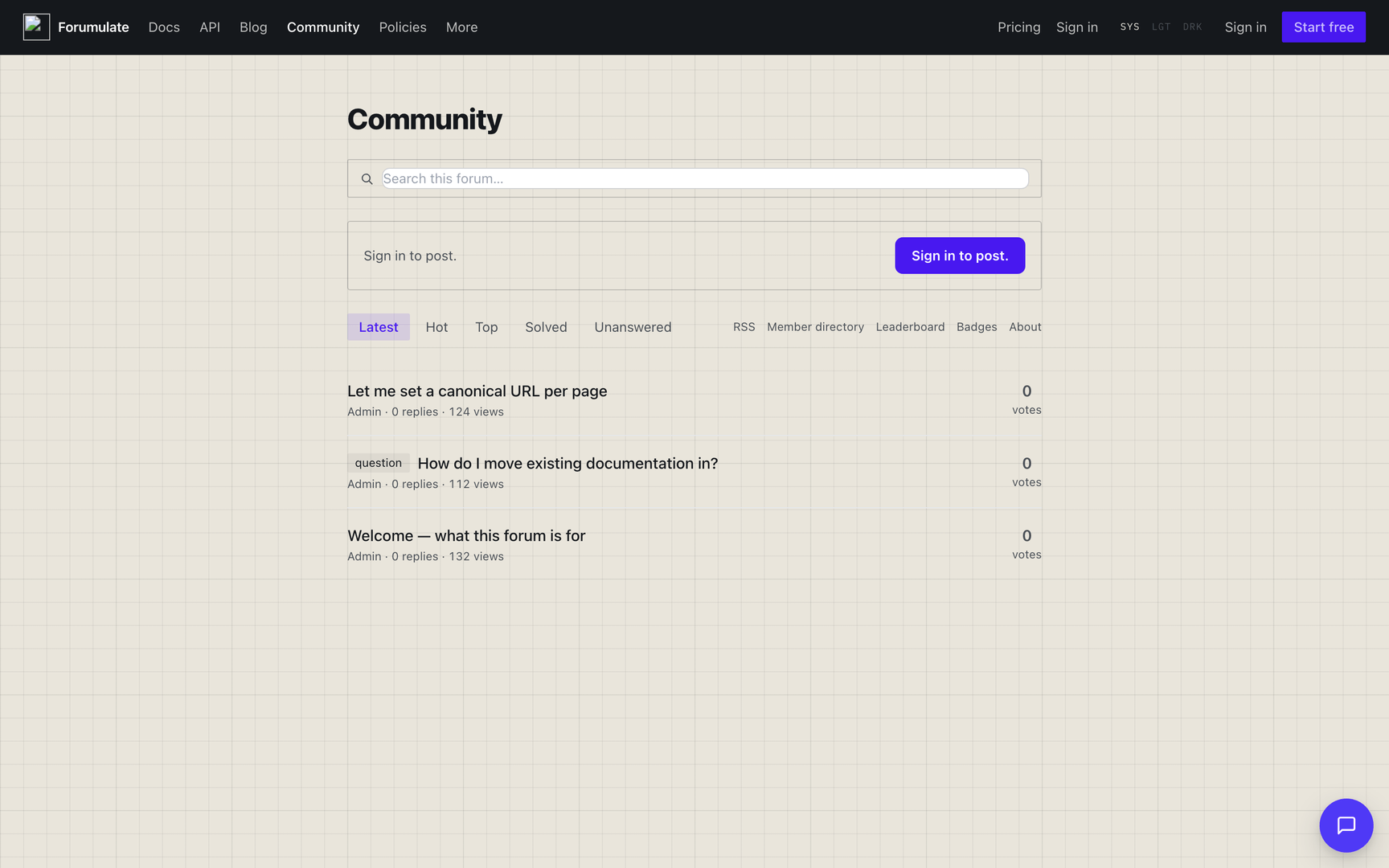
A Community space is questions, answers and discussion — a Discourse-style forum. Members create topics inside categories; a topic is either a discussion or a question, and a question can have an answer marked as accepted.
Set it up
Create a space and choose the Community type. Its public prefix is
/f/.Add categories with
POST /orgs/{orgId}/spaces/{spaceId}/forum/categories. A category takesname,description,color(shown as a coloured left border on its card),parentId,logoUrlandbackgroundUrl;PATCH …/forum/categories/{id}changes any of them. The Free plan holds 10 categories in each community space.Pick an index layout (below).
Members create topics; who may post is decided by who may post, below.
Index layouts (presets)
Categories (recommended) — category cards on the way in, threads inside each.
Firehose — one stream, newest first, no cards on the way in. For communities that live in the flow.
Dense list — the stat table a big community reads at a glance: title and tags on the left; replies, views and freshness right-aligned in columns.
Front page
The community's front page is a composed document. Until you edit it, it is generated: the title band (the community's name — move it, or hide it with hideTitle), the intro, search and identity bands, the category tiles (a spaceCategories block, left out under Firehose or when category cards are switched off), the filters band, the category band (a category view's subcategories and featured topics — kept when you swap the topic list for a feed in another layout) and the topics feed (rows under Dense list, feed otherwise). A community feed sorts by latest, top, hot or oldest and filters by category, tags and pinned. A spaceCategories block can show each category's colour, picture, logo, description, topic count and top topics — on this space's front page, or on any other front page in the organization — as tiles, a link tree (nav), ruled rows (rows) or a table beside each category's latest topics (table). A spaceLeaderboard block shows the top contributors. The welcome and tags bands are offered, never generated. The front door's showSearch and showIdentity switch the search and identity bands off (showSearch also stays off while showFilters is off). The filter row's tabs and look are theme.forum.front — see Theme a forum.
Categories
Create and edit categories with POST / PATCH /orgs/{orgId}/spaces/{spaceId}/forum/categories[/{categoryId}]. Beyond the name, description, colour, parent, logo and background, a category takes:
Field | What it does |
|---|---|
| Its address, |
| A glyph name (the theming guide lists them) or an image URL, drawn beside the name. |
| One emoji, drawn beside the name. |
| Which mark to draw: |
| Text on the category's colour fill (a filled banner, a box tile, a badge). Unset = black or white, whichever reads. A pair that fails WCAG AA still saves; the response carries |
| The colour in a dark scheme. Unset = |
| How the category page lists its children: |
|
|
|
|
|
|
| A topic in this space that explains the category; its page links "About the … category". |
New categories are added after the existing ones. Older forums whose categories were all created without a position list alphabetically; fix the order once with POST …/forum/categories/reorder.
topicCount counts topics filed in the category itself; totalTopicCount adds every subcategory's, and the Categories page shows that.
A parent category's list includes its subcategories' topics, so the list holds what the count says. GET …/forum?category=<slug> (and the console's GET /orgs/{orgId}/spaces/{spaceId}/forum?category=…) lists the category and every descendant the reader may see; add includeSubcategories=false for only the topics filed on that exact category. new-count takes the same parameter. A pin still belongs to its own category: a subcategory's pinned topic is not floated to the top of the parent's list (a global pin is).
The categories overview. GET /public/orgs/{orgId}/spaces/{spaceId}/forum/categories/overview returns every category the reader may see with its roll-up counts, topicsPerWeek, latest (one topic, kept for compatibility) and:
latestTopics— the newest topics under the category and its subcategories, newest activity first, each{ id, slug, title, solved, lastActivityAt, replyCount }(answeredrepeatssolved). How many:?latest=N, 1–6, default 1. The "Categories + latest" table on a front page asks for as many as it shows.meta.kinds— published topics per kind over the categories the reader may see, e.g.{"QUESTION": 41, "DISCUSSION": 12}(a kind with none is absent). The automatic look reads it to tell a Q&A forum from a discussion one.
GET /public/orgs/{orgId}/spaces/{spaceId}/forum/categories/overview?latest=4Category pages
Every category has its own page at /c/<slug> under the forum (on a custom domain, under the forum's address). Its banner, intro, subcategories, filters and topics all stay in the category — switching to Hot or Top no longer drops you back to the whole forum.
categories/<slug>and the old?category=<slug>(or?category=<id>) addresses redirect there, keeping the other query parameters.The RSS feed stays at
categories/<slug>/rss.xml;c/<slug>/rss.xmlserves the same feed.An unknown category, or one the reader may not see, is a 404 (it used to be a server error).
Signed-in readers can follow a category from its page (Watching, Tracking, Normal, Muted) when the theme turns
forum.categoryPage.subscribeon —POST /public/orgs/{orgId}/spaces/{spaceId}/forum/category/{slug}/notify {"level": …}.GET /public/orgs/{orgId}/spaces/{spaceId}/forum/category/{slug}returns the page's data: the category, topic/reply/this-week counts over it and its subcategories, its parent and children, and its about topic.A category a logged-out reader cannot see shows a lock to members who can, and is left out of the sitemap.
Tags
The forum's tag index is /tags: every tag with a published topic you can see, with its count. GET /public/orgs/{orgId}/spaces/{spaceId}/forum/tags returns each tag's display (label, colours, icon, description) and the space's tag groups by name. A tag's label, colours, icon and description are set with PUT /orgs/{orgId}/spaces/{spaceId}/blog/tags/{slug} — the same tag record the blog uses (icon is a glyph name or image URL). Tags used only in restricted categories are not listed or counted for readers who cannot see those categories.
Discussions vs questions
Every topic has a Kind: Discussion or Question.
A Question can have one reply marked as the accepted answer — it renders highlighted, with a check and an "accepted answer" label, and the thread shows as solved in the list.
A Discussion cannot have an accepted answer.
Readers can filter the index by Solved and Unanswered, alongside Latest and Top.
Under the hood this drives SEO too: question threads emit QAPage structured data (with the accepted answer marked), and discussions emit DiscussionForumPosting.
Q&A detection
A forum whose theme sets no forum.look picks its list look from what it holds: when most published topics are questions, the space renders the Q&A look (vote gutters, "answered" counts, a comment list under each answer). Since round 5 a topic counts as a question for this only when its category says it holds questions. That keeps a forum whose questions sit in ordinary discussion categories on the default Replies / Views / Activity list.
A category's kind is topicKind on POST …/forum/categories and PATCH …/forum/categories/{categoryId}:
Value | Meaning |
|---|---|
| The category holds questions. Its question topics count toward the Q&A share, and a topic filed here without a |
| The category holds discussions. Nothing in it counts toward the share. |
| Undeclared. Nothing in it counts toward the share, and new topics default to Discussion as before. |
PATCH /orgs/{orgId}/spaces/{spaceId}/forum/categories/{categoryId}
{ "topicKind": "question" }
The share is the number of Question topics in question categories over every listed, published topic. The thresholds (share and minimum topic count) are unchanged. A forum with no question category never switches to the Q&A look on its own. theme.forum.qa overrides the detection either way: "on" always uses Q&A, "off" never does, and "auto" asks the question even under a chosen look. The answer is cached for five minutes.
Topics in other languages
A forum declares languages the same way docs do (POST …/docs/locales, Studio → Languages). Staff (forum.moderate) can then give a topic's opening post a translation per language at …/forum/{topicId}/translations/{locale} — PUT by hand, POST …/auto with your own DeepL key (never over a person's text without force, unpublished until published), GET for each language's state (exists, origin, published, stale), DELETE to remove. The shape is a blog post's and a changelog release's.
Readers get the topic at its own address in that language (a path segment after the forum's address, /community/es/<topic>): the title and opening post are the translation, the replies stay in the words their authors wrote. Topic lists show translated titles where one is published. GET /public/…/forum/t/{slug} and the index answer locale and locales for a language row. This is separate from a member's on-demand Translate button, which machine-translates any post for one reader and is not crawlable.
What members can do in a thread
Reply, including quote-to-reply — select a sentence in any post and it drops into the composer.
React to posts with emoji (reactions are the one place emoji are user content). See Votes and reactions.
Vote on posts (up, or up and down, per
postVotes) — topics carry the opening post's score.Polls — a topic can carry one or more polls readers vote in.
Threading — replies are flat, nested under the post they answer, or (on a Q&A space) answers with a compact comment list under each. It is set per space with
theme.forum.topic.threading(flat·nested·comments); a space that does not set it follows the org settingcommunity.enable_threaded_replies. See Theme a forum.Author profile pages (
/u/[userId]) and a community leaderboard (/leaderboard).
Reader accounts
A reader who signs in through the space's own providers is a member of the organization. In the header they get an avatar that opens their menu:
Profile (
/u/<username>), Bookmarks (/bookmarks), Notifications (/notifications) and Preferences (/preferences).Sign out.
A bell beside the avatar shows a dot for unread notifications. A notification about a topic in this forum links to it on the address being read (your own domain included). The bell checks once a minute while the tab is open, and "Mark all read" clears it.
/preferences puts a reader's settings on one page: watch, track or mute the forum, a category or a tag; how email reaches them (each notification, a daily or weekly summary, mailing-list mode) and which kinds of notification reach them at all; their name, bio, location, website and cover image; and a status (an emoji and a line) shown on their card and profile. There is no drafts list: a reader's unsent drafts are kept per composer, in their browser.
The member directory (/u) lists this forum's members by default: everyone with a visible post here, including members who joined but never earned a trust level. "Whole community" lists the organization. Guests (people who posted without an account) have no profile, so they are not listed; a forum whose every post is a guest's says so.
Profile tiles count this forum only. Trust level, badges and days visited are standing across the whole community, and the profile says so.
Member profiles
A member's page (/u/<username>) is built from forum.profile keys in the space theme (full table: forum theme, "profile — a member's page"). Each key does one thing and none depends on another:
Key | Shape | Default | Scope | Example |
|---|---|---|---|---|
| px 45–160 |
| theme |
|
| ≤9 of | today's summary | theme |
|
| ≤2 of | no rail | theme |
|
|
|
| theme |
|
| 1–3 of | "3 replies · 5 votes" / "5 likes" | theme |
|
| 1–3 of |
| theme |
|
statsStyle: "inline"draws the Summary's six numbers as one line ("12 Topics created · 40 Posts created · …") instead of the tile grid.itemMetachooses the facts under every top-topic and top-reply row, in order:date(when the topic was published / the reply written),likes(a heart and the count),replies(topics only). A fact a row has no value for is left out rather than drawn as zero.tabsorders the tabs; the first one opens.badgesadds a tab with every badge the member holds — icon, what it is for, when it was earned, and "×3" for a badge earned more than once. It is drawn only for a member who holds at least one;["badges"]alone on a member with none falls back to Summary rather than an empty page.topBadgesinsummary.sectionskeeps its place when the member has no badges: the heading and "Nothing yet.", like every other list.
The data behind the page is public API: GET …/forum/u/{username} (profile, badges) and GET …/forum/u/{username}/summary (stats and lists; topTopics[].publishedAt and topReplies[].createdAt carry the dates itemMeta prints).
Per-category overrides name real categories
forum.categoryOverrides (a category page's list and header) and forum.topic.byCategory (a topic page's look, by the topic's category) are maps keyed by category slug, each a patch merged over the space theme for that category only. A slug that names no category in the space is refused when you save — PUT/PATCH …/theme, the theme draft and a site theme alike — with a 422 naming the key and listing the slugs that exist:
{
  "code": "validation.failed",
  "message": "Unknown category slug \"anouncements\" in a per-category theme override.",
  "details": {
    "theme.forum.categoryOverrides.anouncements": [
      "No category with the slug \"anouncements\" here. Known slugs: announcements, help, ideas."
    ]
  }
}
A site theme may name a category of any of the site's forums. Clearing one slug is a PATCH with that slug set to null. Both maps are served back in the reader theme (GET /public/orgs/{orgId}/spaces/{spaceId}/chrome, theme.forum).
Feed and leaderboard fields
Two payloads carry what a composed front page needs to draw faces and handles:
replyPreviews[]on forum topic lists (?previews=1..3) — each preview hasauthor,text,authorAvatar(the reply author's picture,nullfor a guest, an anonymous author or no picture) andauthorSeed(the colour for the initials disc).GET …/forum/leaderboardrows carryusername(the @handle;nullwhen there is none to show) besidenameandavatarUrl; so do the points leaderboard rows.
Mix and match
A look (forum.look) is only a patch of these same keys — nothing a look does is out of reach of a theme that sets the keys itself, and any key you set wins over the look's. So keys combine freely. Three combinations no built-in look or replica uses, each a complete theme body (PATCH …/spaces/{spaceId}/theme):
A help desk with an announcements board. The home is the dense table; the announcements category reads as cards (scope: category); help topics put the accepted answer under a solid green "Solved" header (scope: category); profiles are one line of numbers with dated rows and a Badges tab (scope: theme).
{
  "forum": {
    "list": { "anatomy": "table" },
    "categoryOverrides": {
      "announcements": { "list": { "anatomy": "cards" } }
    },
    "topic": {
      "answerPlacement": "excerpt",
      "byCategory": {
        "help": { "answerStyle": "header", "answerColor": "success" }
      }
    },
    "profile": {
      "statsStyle": "inline",
      "itemMeta": ["date", "likes"],
      "tabs": ["summary", "badges", "activity"]
    }
  }
}
Quiet member pages beside a busy forum. Big avatars, a short summary that leads with what someone is known for, a solutions rail; announcements topics drop the topic map and the actions row (scope: category).
{
  "forum": {
    "profile": {
      "avatarSize": 96,
      "summary": { "sections": ["topBadges", "topTopics", "topReplies", "stats"] },
      "itemMeta": ["likes", "replies"],
      "rail": ["solved"]
    },
    "topic": {
      "byCategory": {
        "announcements": { "map": { "show": "never" }, "actions": [] }
      }
    }
  }
}
A Q&A look, with Discourse-style profiles. look: "qa" patches the list and topic keys; the profile keys are untouched by any look and simply add on.
{
  "forum": {
    "look": "qa",
    "profile": {
      "statsStyle": "tiles",
      "summary": {
        "sections": ["stats", "topReplies", "topTopics", "mostLikedBy", "topCategories", "topBadges"]
      },
      "tabs": ["summary", "activity", "badges"]
    }
  }
}
Each slug in categoryOverrides and byCategory must exist in the space (see above), so adjust announcements and help to your own categories' slugs.
Searching the forum
The search box in the header and on the front page suggests topics as you type. All results under the suggestions opens /search, the full search page: ranked results, filters, and paging. /f/<org>/<space>?q=words opens it too.
The filters write ordinary operators, and you can type the same operators into the box yourself:
Operator | Matches |
|---|---|
| Topics in that category |
| Topics with that tag / with any of these tags |
| Topics without that tag |
| Topics started by that member |
| By state. Closed and archived threads are searchable |
| Title-only, pinned topics, topics with any tag |
| Signed-in readers only: your bookmarks, topics you watch, topics you have read |
| By creation date |
| Bounds on the counts |
| Sort; relevance otherwise |
The API is GET /public/orgs/{orgId}/spaces/{spaceId}/forum/search/full?q=&offset=&limit= (limit up to 50, offset up to 1000), answering { hits, total, offset, minQueryLength }. Hidden categories never appear.
How the page looks is the theme's: theme.forum.chrome.searchPage.filters puts the filter panel beside the results (default), above them, nowhere, or folded in a closed "Advanced filters" disclosure (disclosure); and searchPage.avatar: "start" draws each result's starter as a 40px face beside the title, meta and excerpt instead of over them. Both are in "Theme a forum" → "Account, search and composer", with a mix-and-match example.
Moderation
The Community type has a dedicated Moderation tab. From the public thread, staff see a staff bar and can moderate in place:
Move a topic to another category (a category chip on the thread the moderator can change).
Reclassify a topic between Discussion and Question from the thread.
Pin topics (pinned topics are badged in the list). A global pin floats in every list; a category pin floats in its own category's list, and in every list too while the space's
pinScopeiseverywhere(the default) — setpinScope: "category"on…/forum/settingsto keep category pins in their category. A timed pin (pinnedUntil) stops floating when its time passes. A signed-in reader can unpin for me withPOST /public/orgs/{orgId}/spaces/{spaceId}/forum/t/{slug}/dismiss-pin: the pin stays for everyone else.Feature a topic:
PATCH …/forum/{topicId} {"featured": true}(moderators only); a front-page feed selects featured topics withfilter.featured.Delete a topic:
DELETE /orgs/{orgId}/spaces/{spaceId}/forum/{topicId}. It is a soft delete —POST …/forum/{topicId}/recoverundoes it, andDELETE /orgs/{orgId}/moderation/topics/{id}/permanentdestroys it afterwards. An author may delete their own topic until somebody replies; after that it takes a moderator. (DELETE …/blog/{id}is the blog's door and refuses a forum topic.)Promote a thread to a documentation page — a promoted topic shows a "This is now documented — read the canonical page" banner linking to the docs page.
Old or migrated topic URLs are resolved through a permalink redirect, so links from a forum you imported keep working.
Tags
There is one tag rule, applied by every door — creating a topic, retagging it, the tag hub and every tag filter:
Tags are lowercased (unless
community.force_lowercase_tagsis off) and accents are folded (Crème→creme). Any script works:日本語is a tag.+,#and.are kept inside a word —c++,c#,node.js,.net— and any other punctuation becomes-. A leading#is dropped (#help→help), and a tag made only of punctuation is not a tag.A tag is stored at most 60 characters. A new tag longer than
community.max_tag_length(default 30) is refused with a 422 naming the tag and the setting; a tag already on a topic in the space is grandfathered and keeps working.When a tag is stored differently from how you sent it, the response says so on
X-Field-Warnings.
Votes and reactions
Reactions are emoji on a post; 👍 and 👎 are votes.
Post votes — the space's
postVotessetting on…/forum/settings:off,up(the default — 👍 only) orupdown(👍 and 👎, scored as their difference). Set a vote by value withPUT /orgs/{orgId}/spaces/{spaceId}/forum/posts/{postId}/vote {"value": 1 | 0 | -1}, or from the reader withPUT /public/orgs/{orgId}/spaces/{spaceId}/forum/t/{slug}/posts/{postId}/vote. A member holds at most one of the two;0clears it.-1is a 422 unlesspostVotesisupdown. Votes always need an account.Reactions in this community —
reactionEmojison…/forum/settingsgives this space its own palette (up to 24);nullgoes back to the organization's (POST /orgs/{orgId}/community/reactions).GET /orgs/{orgId}/community/reactions?spaceId=returns the set a space actually uses. 👍 is always in it. Dropping an emoji from the set keeps the reactions already given but stops drawing them.Signed-out readers may react on a space with
allowAnonymous(any reaction except 👍/👎, which are votes and need an account). Their reactions are counted, not named, and never move a score.
Custom emoji
An organization can upload its own emoji. Members then type :shortcode: in a post and the reader draws the picture, and the reaction picker and the composer's : autocomplete offer them. They belong to the organization, so they work in every space.
Uploading and removing needs org.manage_settings; listing needs space.read. An upload is a multipart request with a small image in file:
POST /orgs/{orgId}/custom-emoji        # multipart/form-data
  file=@party-parrot.png  shortcode=party_parrot  name="Party parrot"
A shortcode starts with a lower-case letter or digit and then uses lower-case letters, digits and underscores, up to 30 characters in all (it is lower-cased for you). name is a display label, up to 80 characters, defaulting to the shortcode. The file must be an image; anything else is a 400. Uploading a shortcode that already exists replaces its picture.
GET    /orgs/{orgId}/custom-emoji                 # { "emoji": [ ... ] }
DELETE /orgs/{orgId}/custom-emoji/{shortcode}     # { "ok": true }
The reader needs the shortcode-to-picture map without signing in, so GET /public/orgs/{orgId}/custom-emoji returns { "emoji": [ { "shortcode", "name", "imageUrl" } ] } and nothing else. Use it if you render forum text yourself.
Link previews (oneboxes)
A bare link on its own line in a post becomes a preview card: title, description, picture and the site's icon. For an external link the platform fetches the page's own Open Graph tags (private, loopback and metadata addresses are refused, and results are cached per organization). A link to one of your own public, uncategorised forum topics is answered from your database instead, so the card carries the real title and excerpt, and a private topic never leaks its title through it. The preview pictures come back already routed through the image proxy.
These endpoints are public and rate limited, because a signed-out reader sees the cards too.
Call | What it does |
|---|---|
| One link, as a full card: |
| A mid-sentence link, as only its title: |
| Every link in a post body at once: |
The inline form is off by default and answers { "inline": null } until the organization turns on community.enable_inline_onebox_on_all_domains. The per-post form takes the post's document and cards at most community.max_oneboxes_per_post links; links past the cap stay bare and cause no outbound fetch.
POST /public/orgs/{orgId}/onebox/post
{ "content": { "type": "doc", "content": [ ... ] } }
Two places settings live, and which is which
A forum is configured in two places, and the difference is not cosmetic — it decides which URL you write to.
Organization settings are one value for the whole organization. They are read and written by key:
curl -sS -A 'my-app/1.0' -H "Authorization: Bearer $TOKEN" \
  https://forumulate.com/api/orgs/$ORG/settings/community.min_post_length

curl -sS -A 'my-app/1.0' -H "Authorization: Bearer $TOKEN" \
  -X PUT -H 'content-type: application/json' -d '{"value": 20}' \
  https://forumulate.com/api/orgs/$ORG/settings/community.min_post_length
GET /orgs/{orgId}/settings/{key} answers { setting } for one key. GET /orgs/{orgId}/settings lists every key with its current value, its default and what it does. If a key is not in that list, it does not exist — that listing is the whole catalogue, generated from the same registry the console renders.
Space settings are what one forum decided for itself. They have no key names: they are fields on the space's own door.
curl -sS -A 'my-app/1.0' -H "Authorization: Bearer $TOKEN" \
  -X PATCH -H 'content-type: application/json' \
  -d '{"whoCanPost": "anyone", "allowAnonymous": true}' \
  https://forumulate.com/api/orgs/$ORG/spaces/$SPACE/forum/settings
GET /orgs/{orgId}/spaces/{spaceId}/forum/settings reads them back, and it also publishes an effective block — the answer the public API actually gates on, after the space's choice, the organization default and the space's shape have been resolved against each other. Read effective when the stored value and the behaviour disagree; it names which one won.
The fields on that door are whoCanPost, allowAnonymous, moderateComments, moderateAnonymous, defaultSort, reactionsEnabled, reactionEmojis, postVotes and pinScope. A BLOG space has the first seven on …/blog/settings, plus defaultByline. Other per-space doors are …/roadmap-settings, …/comment-settings and …/reader-policy.
Every one of those fields also takes null, which unsets it: the space stops choosing and follows the organization default, and then ours. That is a third state, not a synonym for false — a stored whoCanPost outranks the organization default, so clearing it is the only way to put a space back under your organization's policy.
Who may post
community.who_can_post is the organization default: type (leave it to the space type), members, or anyone.
A single space overrides it with whoCanPost on PATCH /orgs/{orgId}/spaces/{spaceId}/forum/settings — not on …/roadmap-settings, which has no such field. The resolution order, most specific first, is:
a shape override on the space (what the space's own shape says about who creates),
the space's stored
whoCanPost,the organization's
community.who_can_post,the space type's own answer.
An organization that states nothing gets the type's answer, which is what every existing space already had.
A reader who posts without an account (where the space allows it) is a guest: the name they typed and an initials disc, never a picture — an open door that accepted an image URL would put anyone's tracking pixel on your page. The same guest name always draws the same colour. A client that sends Authorization: Bearer <token> to a reader door posts as that token's user, not as a guest; see API tokens.
The settings that matter most
Key | What it does |
|---|---|
| Maximum tags on a new topic ( |
| Shortest post the composer will accept. |
| What watching a topic means for somebody who has not chosen. |
| Shortest free-text query that returns anything (default 3). A shorter one answers with nothing and reports the floor as |
Advanced settings cover spam and flagging thresholds:
community.flag_hide_threshold— how many flags auto-hide a post.community.spam_flag_threshold— flag count that marks something as spam.community.spam_ai_min/community.spam_ai_max— AI spam-scoring bounds (AI spam detection uses your own key; see the AI guide).
Seeding a forum with real authors
A new forum looks empty, and a migrated one must keep who said what and when. There are three routes; they combine.
1. Personas: accounts you post as. A persona is a service account that counts as a person — it appears in the member directory and on leaderboards, which a plain bot does not. It has no inbox and no password; its only credential is a token you mint.
POST /orgs/{orgId}/service-accounts
{"name": "Wren Halvorsen", "role": "MEMBER", "persona": true, "username": "wren"}

POST /orgs/{orgId}/service-accounts/{id}/tokens
{"name": "seeding", "scopes": ["read", "write"]}
Its @handle. username is optional: unset, the account gets a generated svc-… handle. Give a persona a real one at creation, or change it any time with PATCH /orgs/{orgId}/service-accounts/{id} {"username": "wren-h"} (name too, or both; the answer carries the updated account). The rule is every account's — 3–20 letters, digits, underscores and inner hyphens, lower-cased, unique across the platform (409 auth.username_taken otherwise) — but the once-per-window change limit (users.username_change_period_days) does not apply: that is for people choosing their own name, and a persona is the organization's. The persona can also rename itself with its own token, through PATCH /users/me {"username": "…"} (an alias of PATCH /users/me/username); the reader's /u/<username> follows at once.
With the persona's own token, give it a face and a bio — PUT /users/me/avatar (a multipart image) and PATCH /users/me {"bio": "…"} — then post as it through POST /orgs/{orgId}/spaces/{spaceId}/forum and …/forum/{topicId}/replies. New accounts are trust level 0, so first-day caps and approval holds apply: add the personas to a group with grantTrustLevel: 2 (and a flair or title if you like) via POST /orgs/{orgId}/groups and POST /orgs/{orgId}/groups/{groupId}/members {"userId": "…"}.
A group's flair pill can carry an icon: flairIcon is a glyph name (up to 40 characters — our glyphs, a Lucide name or a brand mark) or a picture, any https: image URL up to 2048 characters (an /api/assets/… upload works too). "" clears it. It is drawn before the label on posts, profiles and user cards.
PATCH /orgs/{orgId}/groups/{groupId}
{"flair": "Team", "flairIcon": "https://cdn.example.com/marks/triangle.svg", "flairBgColor": "#000000", "flairColor": "#ffffff"}
2. Import: a whole forum in one call. POST /orgs/{orgId}/import takes members[], a space's categories[], and topics whose posts carry authorId (or email), createdAt and a body as content or markdown. The reply says how each author was credited and lists every row it skipped:
{
  "summary": {
    "topicsCreated": 40,
    "postsCreated": 212,
    "authors": { "member": 3, "email": 2, "staged": 9, "name": 1 },
    "warnings": [{ "path": "spaces[0].topics[7].posts[2]", "message": "…" }],
  },
}
The call is synchronous: send 200 topics or fewer per call. The fields it carries are in Importing a forum.
3. Re-attribute what is already there. Posts made as guests or by the owner move to their real author with POST /orgs/{orgId}/spaces/{spaceId}/forum/{topicId}/change-owner {"postIds": ["…"], "newOwnerId": "…"} (moderators). The new owner must be a member of the organization; moving the opening post moves the topic, and post counts follow.
Backdating. createdAt (an ISO date with offset) on POST …/forum and …/replies stamps the topic or reply with that date, clamped to now. It is for owners and admins only — anyone else gets a 403 rather than a silently ignored date. A backdated topic does not notify followers or mentions; a backdated reply renumbers the thread so it stays chronological, which shifts later /t/{slug}/{n} links.
Throughput. The guest door allows 5 posts a minute per address, which is right for strangers and wrong for seeding — so seed through persona tokens (each on the authenticated 600-a-minute budget) or the import (one call), not the guest door.
What each author looks like. Every topic and post carries authorKind — member, persona, service, staged (an imported author who has not signed up yet), guest or anonymous — with authorAvatarUrl and a stable authorAvatarSeed. With no picture, the disc shows initials on a colour derived from the seed. An anonymous post never shows a picture or links to a profile.
Flagging: the types a member may raise
flagType on a flag is one of seven built-ins — illegal, spam, inappropriate, off_topic, other, notify_moderators, notify_user — or a custom type you defined. You never have to guess which: GET /orgs/{orgId}/moderation/flag-types/catalogue names every value the flag endpoints accept, each with a sentence, the surfaces it applies to and whether it is built in. ?surface=post|topic|chat narrows it to what that surface takes.
notify_user is author-facing and has no chat equivalent, so it is not offered on chat messages.
One thread's own look and share card
A moderator can give one thread its own CSS, partial theme, share image (it beats the generated card), og title/description, card type and JSON-LD — which replaces the automatic DiscussionForumPosting / QAPage markup — under customization on POST …/forum or PATCH …/forum/{topicId}. Keys merge; null clears. The replies render inside the thread's page, so the thread's customization covers them. A member may rename their own thread on that PATCH but not restyle it: customization needs forum.moderate, and is a 403 naming the key from anyone else. In the console it is Page look & sharing on the thread view.
The keys and their rules are in Theme your site → Per-page customization.
A topic's partial theme may carry the shared token keys (colours, type, widths) and the forum namespace, so one thread can set its own forum.post or forum.topic keys over the space's. Any other type's namespace (post, docs, events …) is refused with a 422 that names it, because no forum page would draw it. A key that was already stored before this rule is left alone.
Per-topic field
Kind (
kind) — Discussion or Question. Shown as a column; a question can have an answer marked, a discussion cannot.
Forum behaviour
A forum's behaviour keys are the choices a Discourse admin makes in site settings: read-only mode, approvals, archiving, trust gates, signatures and so on. Each key is resolved space, then organization, then the default, and every default is how forums already behaved, so a forum that sets nothing behaves exactly as it did.
This forum: in the studio, Forum behaviour. Each row says which layer is winning, and Follow the organization clears the space's choice. Through the API:
GET/PATCH /orgs/{orgId}/spaces/{spaceId}/forum/behaviour.GETanswers{ space, org, effective }(what the space chose, what the organization stated, what is in force).PATCHtakes any keys below, andnullunsets one. Writing needsforum.moderate.Every forum in the organization: the key's
community.*setting, withPUT /orgs/{orgId}/settings/{key}(see two places settings live). Keys marked org have no space override; a space that sends one gets a 422.
curl -sS -A 'my-app/1.0' -H "Authorization: Bearer $FORUMULATE_TOKEN" \
  -X PATCH -H 'content-type: application/json' \
  -d '{"readOnly": true, "autoCloseSolvedHours": 48, "archiveInactiveAfter": null}' \
  https://forumulate.com/api/orgs/$ORG/spaces/$SPACE/forum/behaviour
Posting and access
Key (organization setting) | Default | What it does |
|---|---|---|
|
| Only staff can start topics, reply, react or vote; everyone else reads. For migrations and incidents |
|
| While the community has fewer members than this, new members start at trust level 1, so a young forum is not throttled by new-member limits. |
|
| Tell the author when a moderator approves or rejects their held topic or reply |
|
| Below this trust level a member may only use existing tags |
|
| Posts with images or embeds from members below this level are held for review |
|
| Mail to the forum's address from members below this level is refused |
|
| A trust-level-0 post written faster than this is held for review (a spam-bot tell) |
|
| A post mentioning too many people is blocked, or |
|
| Who may use |
|
| When |
|
| Below this trust level a member may answer a private message but not start one. Staff always may |
Topics over time
Key | Default | What it does |
|---|---|---|
|
| Close a question this many hours after an answer is accepted. |
|
| Archive a topic nobody has posted in for |
|
| How many open topics one member may vote for at once; a vote frees up when its topic closes. |
|
| Remind the assignee of an open assigned topic that has not moved in this many days |
|
| A topic assigned to a group stays with the group ( |
| empty | An emoji (or |
How members appear
Key | Default | What it does |
|---|---|---|
|
| Lead with the full name or the |
|
| Mark a member's first post, and a post from someone back after a long absence, for |
|
| How long away counts as "returning" (7–3650) |
|
|
|
|
| The longest signature, and the trust level whose signatures are shown (keeps link spam out) |
|
| A cake beside a name on the member's join anniversary (and birthday, when they set one) |
| empty | Comma-separated titles for trust levels 0–4 ("Newcomer, Member, Regular, Leader, Elder"), shown beside names |
|
| A dismissible tips band for signed-in members |
|
| Let search engines index a member profile with at least one public post (with ProfilePage structured data). Profiles are |
|
| Read |
|
| Who may mark themselves away ( |
|
| Away members are skipped by assignment and expert suggestions ( |
Moderation: the penalty ladder (all org)
Key | Default | What it does |
|---|---|---|
|
| How far back strikes are counted |
|
| A flag a moderator upheld counts as a strike beside official warnings |
|
| Silence a member automatically at this many strikes, for this long. |
|
| Suspend at this many strikes, for this long. Set it above the silence step to escalate |
Languages, paid categories, federation, rooms, help desk, AI
Key | Default | What it does |
|---|---|---|
|
| Under a language address ( |
|
| At the address with no language, list every category ( |
|
| What a non-member sees at a paid category: a page naming the plans with a Join button ( |
|
| A member keeps reading while Stripe retries a failed renewal |
|
| The forum on the fediverse. See ActivityPub federation |
|
| Voice, video and stage rooms. See Live rooms |
|
| When a ticket escalated to Zendesk or Salesforce is solved there: |
| off |
Each key's organization setting is the setting name shown in brackets; the ones not named follow the pattern community.forum_<snake_case> (for example community.forum_locale_unscoped_categories). GET /orgs/{orgId}/settings lists them all with their defaults.
Per category. A category adds its own behaviour on PATCH …/forum/categories/{categoryId}:
Field | Default | What it does |
|---|---|---|
|
| Every new topic or reply here waits for a moderator |
|
| Topic votes in this category |
|
|
|
|
| Words shown above the composer when posting here (up to 2000 characters) |
|
| Up to 20 members suggested first as experts, skipping anyone away |
|
|
|
|
| A language tag ( |
POST …/forum/categories/{categoryId}/clone copies a category's settings into a new one. Tags take an emoji drawn before the label (PUT …/blog/tags/{slug}), and POST …/forum/tag-tools/rename and …/tag-tools/delete-unused rename or merge a tag and clear unused ones. All are in the studio's Categories and tags sheet.
Badges
A member earns badges for what they do, across the whole organization (badges are the organization's, not one community's). Two kinds:
Built-in badges (54 of them) are earned automatically. Most key on one running count — posts, topics, likes received, likes given, accepted answers, trust level, the most likes on one post or one topic, a consecutive-day visit streak — and are granted the moment that count reaches the badge's threshold (bronze, silver and gold tiers spaced so the gold ones stay rare: First Post, Contributor, Centurion…). Four are one-off events: a first edit of one's own post, a first flag, a first outbound link, and the one-year anniversary.
Your own badges, created with
POST /orgs/{org}/community/reputation/badges:
Field | Type | What it is |
|---|---|---|
| string, 1–80 | Required |
| string, ≤ 60 | Unset: made from the name |
| string, ≤ 300 | What it is for |
| string | A glyph name from the icon set (up to 40 characters, no spaces) or a short emoji; or a picture: an |
|
| Unset: |
| string, ≤ 60 | The heading it is listed under |
|
| Granted automatically when the count reaches the threshold. Leave both unset for a badge you grant by hand |
| boolean | The member may wear it as their title. Unset: yes |
| boolean | On |
Grant and revoke one by hand with POST …/reputation/{userId}/badges ({slug}) and DELETE …/reputation/{userId}/badges/{slug}. A built-in badge may be earned more than once where it says so ("×3" on the profile); your own badges are earned once.
Where they show. GET /public/orgs/{org}/spaces/{space}/forum/badges is the catalogue (slug, name, description, icon, group, custom). A member's profile lists theirs under the badges tab (theme.forum.profile.tabs — icon, what it is for, when it was earned) and leads with up to six they chose themselves (PUT …/reputation/me/featured). A badge picture on somebody else's host is fetched by us and served from your own address, like every other picture on a reader page — a reader's browser never asks that host for it.
The leaderboard is separate from badges: it ranks people by activity in one community (week, month, all) or by the organization's points (points), on /leaderboard and in the spaceLeaderboard block, whose guide lists every period and field.
Members' own preferences
A signed-in member's /preferences page gains forum rows, stored per member per organization (forumPrefs on PATCH /orgs/{orgId}/notifications/preferences; null removes a key, absent is today's behaviour):
Key | Values | What it does |
|---|---|---|
|
| Likes on my posts: every time (today), the first per post, or never |
| boolean | Leave me out of "online now" and show no "last seen" |
| up to 50 member ids | People who may start a message with me even when I take messages from nobody |
| 0–60 | Track a topic I have read this long ( |
|
| The forum's reading size for me |
| boolean | Open other sites in a new tab |
|
| What the front page opens on when the address names no view |
| up to 1000 characters | Shown when the forum has |
|
| The cake on my birthday, or none at all |
| boolean | Hide other members' signatures |
|
| My own section in the forum sidebar |
Who may message whom. Two rules combine. The organization's pmMinTrust decides who may start a conversation (answering one is always allowed). A member who takes messages from nobody (messagesFrom: "nobody") can still name people on their messageAllowList, and those people get through.
Members can also mark themselves away (/orgs/{orgId}/me/away, on their account page) with a note and an end date; staff see the team's availability in the console.
Moderation tools
Beyond the staff bar:
Message a member, or warn them. From the review queue, Message user writes to one member, prefilled with the post or flag it is about (
POST /orgs/{orgId}/moderation/messages). Marked as an official warning it counts as a strike and runs the penalty ladder above.GET /orgs/{orgId}/moderation/warningsand…/moderation/strikes/{userId}show a member's record.Lock a post against edits (
POST …/forum/posts/{postId}/lock); only staff can edit it then.Hide a revision from the public edit history (
POST …/forum/posts/{postId}/revisions/{revision}/visibility).Change a topic's date (
POST …/forum/{topicId}/timestamp); its replies move with it, never into the future.Topic to message and back.
POST …/forum/{topicId}/convert-to-messageturns a topic into a private conversation between its author, you and the members you name; the public address answers 404 from then on.POST /orgs/{orgId}/messages/{conversationId}/convert-to-topicpublishes a conversation as a topic.Invite members to a topic (
POST …/forum/{topicId}/invite): each gets a notification.Held posts tell their author when they are approved or rejected (
notifyOnApproval).
Paid membership
A forum can sell membership: buyers of a plan read the categories (or the whole forum) the plan gates. Payment goes through your organization's own Stripe account, the one event tickets and courses use; see Payments and shop. Access is a group: every plan owns a closed group, and a gate is an ordinary category permission for that group, so search, feeds, sitemaps and notifications honour it with nothing extra.
Plans belong to the organization:
POST /orgs/{orgId}/forum/planswithname,description,priceCents(50 or more),currency,interval(month,year, oroncefor a lifetime pass),perks(up to 12 lines on the join page) andactive. A price change applies to new members; running subscriptions keep their terms.Gates:
PUT /orgs/{orgId}/spaces/{spaceId}/forum/paywall/space(the whole forum) or…/paywall/categories/{categoryId}, each{ "planIds": [...] }.GET …/forum/paywallshows every category, whether it is gated directly or through the whole-forum gate, anduncategorisedTopics: topics with no category cannot be gated, so file them.Readers see a join page at
/membershipand, at a gated category, the plans that open it (or a plain not-found underpaidGate: "hide"). Members manage, cancel and resume their membership from the same page.Subscribers are listed with
GET /orgs/{orgId}/forum/memberships; staff can cancel one.
In the studio: Paid membership. The behaviour keys paidGate and paidPastDueAccess are above.
Live rooms
Staff can schedule voice, video and stage rooms in a category or for an event, and members join them in the browser at /rooms. Rooms need the liveRooms behaviour key on and a media relay: a TURN server or a LiveKit media server, either Forumulate's or one you configure in the studio's Live rooms sheet. Without either, rooms stay hidden from readers. See Live rooms.
Integrations
Zapier and Make. Zaps and scenarios connect with a personal access token. Triggers are new topic, new reply and solved topic, either polled (
GET …/automation/triggers/{trigger}) or instant through REST hooks (POST/DELETE …/automation/hooks); actions create a topic or a reply. Console: Integrations → Zapier and Make. See Zapier, Terraform, React and WordPress.Telegram. Install Telegram under Integrations with your own bot token (from @BotFather) and a chat id: new topics, replies and solved questions are posted to the chat, group or channel (and an optional thread).
Zendesk and Salesforce. Connect your own help desk under Integrations → Help-desk escalation; staff then turn a topic into a ticket from the topic's tools, and the ticket's status comes back to the topic (
escalationOnSolveddecides what happens when it is solved).Embeds. The studio's Embedding section gives a snippet for a topic list on your own site and for comments under your articles, each with an order, category, count and light/dark theme. See Embeds.
AI and spam services
All of these use your provider and key; nothing runs until you connect one.
Key | Default | What it does |
|---|---|---|
|
| A labelled assistant answers topics nobody has answered, from your docs and earlier topics. Staff can switch it off for one topic |
|
| The name it posts under (its posts always carry an AI label) |
|
|
|
| empty (every category) | Comma-separated category slugs it answers in |
|
| How long a topic waits for a person first ( |
|
| Most assistant replies a day across the organization |
|
| Proofread, rewrite, and suggested title, tags and category in the composer; uses per member per day |
|
| Score new posts for insults and hate: |
|
| A one-line summary of each topic, shown in lists whose |
|
| When the spam service says spam: |
|
| Posts from members up to this trust level are checked. Staff never are |
The console's Analytics page shows AI usage by feature.
Importing another forum
The studio's Import a forum sheet (under housekeeping) moves a forum here from Discourse, phpBB, vBulletin, Flarum or Discord: upload the export, run a dry run to see what would be created, then import. Re-running is safe (rows already imported are skipped), old addresses become permalinks, and authors who have not signed up yet arrive as staged members who can claim their posts later. The API is /orgs/{orgId}/forum-imports. See Importers.
Backups and the age gate
Backups. Console Settings → Backups takes a full copy of the organization (every space, page, topic and post, and the member roster) on demand or on a schedule, and keeps the newest few:
Setting | Default | What it does |
|---|---|---|
|
|
|
|
| The hour, UTC |
|
| How many completed copies are kept (1–30), manual ones included |
A copy downloads as forumulate-backup-<org>-<date>.json.gz; it is the same document as the organization export. Restore (owners only, typing the organization's address to confirm) brings back everything in the copy that is missing now, matched by slug; it does not delete what was created since. Routes: GET/POST /orgs/{orgId}/backups, …/{backupId}/download, DELETE …/{backupId}, POST …/{backupId}/restore.
Age gate. users.minimum_age (default 0, off; up to 21) asks readers who sign up with a password for their date of birth and refuses anyone younger. Only the fact that they met the minimum is stored, never the date. users.age_gate_message is what a younger reader is told. Existing members are unaffected.
Where it lives in the studio
Open the forum in the studio. Topics and Shared drafts sit with the pages; the settings fold holds Categories and tags, Languages, Form templates, Paid membership, Forum behaviour, Discussion, Embedding, Fediverse, Live rooms and Email in; housekeeping holds Permalinks, Import a forum, Moderation and Flag types. The reader's look is the studio's theme panel; see Theme a forum.
What you need to set up
Everything above works without any account of your own, except:
Feature | What you need | Where it goes | Until then |
|---|---|---|---|
Paid membership | Your Stripe account connected | Console Settings → Payments (Payments and shop) | Plans can be made and gated; readers see the plans without a Join button |
AI assistant, composer help, toxicity, gists, Summarize | An AI provider and key | Your organization's AI provider ( | The keys can be on, but nothing runs; the Summarize button is not drawn |
Spam service | An Akismet key, or your own compatible service | Console Settings → External spam service (with a Test button) | Posts are not sent anywhere; the built-in spam checks still apply |
Telegram | A bot from @BotFather, added to the chat | Console Integrations → Telegram | Nothing is posted |
Zendesk / Salesforce | Your help-desk credentials, plus its status webhook pointed at the address the panel shows | Console Integrations → Help-desk escalation | No Escalate button on topics |
Zapier / Make | A personal access token in the Zap or scenario | Your Zapier or Make account | Nothing is triggered |
Translations of topics | Your own DeepL key | Console Settings → DeepL | Translate is not drawn unless |
Live rooms | A TURN server or LiveKit media server: Forumulate's, or your own in the Live rooms sheet | Studio Live rooms | Rooms are hidden from readers |
In the API
Every operation below is also reachable from the other surfaces without a dedicated command. forumulate api <Operation> calls it from the CLI, the JavaScript SDK has a typed method for each one (the last column names it; the Python and Go clients are generated from the same spec), and an agent reaches the organization-scoped ones through the MCP call_api tool. Where a CLI command or MCP tool exists too, the last column names it. Operation names link to the API reference.
Ai Provider
Operation | Request | What it does | Shortcuts |
|---|---|---|---|
| Get the provider in an organization (AI) |
| |
| Replace the provider in an organization (AI) |
| |
| Delete the provider in an organization (AI) |
| |
| Test the provider (AI) |
|
Avatar
Operation | Request | What it does | Shortcuts |
|---|---|---|---|
| Upload your avatar |
| |
| Remove your avatar |
| |
| Use your Gravatar as your avatar |
| |
| Get the avatar |
|
Away
Operation | Request | What it does | Shortcuts |
|---|---|---|---|
| Get the away in an organization (me) |
| |
| Create the away in an organization (me) |
| |
| Update the away (me) |
| |
| Delete the away (me) |
| |
| Get the away in an organization |
| |
| Create the away in an organization |
| |
| Get the now in an organization |
| |
| Update the away |
| |
| Delete the away |
|
Canned Reply
Operation | Request | What it does | Shortcuts |
|---|---|---|---|
| List canned replies in an organization |
| |
| Create a canned reply in an organization |
| |
| Update the canned reply |
| |
| Delete the canned reply |
| |
| Create the use in an organization |
|
Chat
Operation | Request | What it does | Shortcuts |
|---|---|---|---|
| List channels in an organization |
| |
| Create a channel in an organization |
| |
| Get the search in an organization (chat) |
| |
| Archive the channel |
| |
| Close the channel |
| |
| Archive to topic in an organization |
| |
| Update notifications in an organization |
| |
| Join the channel |
| |
| Create a member in an organization (chat channels) |
| |
| List messages in an organization (chat channels) |
| |
| Create a message in an organization (chat channels) |
| |
| Update settings in an organization |
| |
| List incoming webhooks in an organization |
| |
| Create an incoming webhook in an organization |
| |
| Delete the incoming webhook |
| |
| List receipts in an organization |
| |
| List pins in an organization |
| |
| Pin the message |
| |
| Create the read in an organization (chat channels) |
| |
| List draft channels in an organization |
| |
| List draft channels in an organization (replace) |
| |
| List draft channels in an organization (delete) |
| |
| Create the heartbeat in an organization (chat channels) |
| |
| Get the online in an organization |
| |
| Get the stream in an organization (chat channels) |
|
Chat Incoming Webhook
Operation | Request | What it does | Shortcuts |
|---|---|---|---|
| Create the incoming |
|
Chat Message
Operation | Request | What it does | Shortcuts |
|---|---|---|---|
| Get the thread in an organization |
| |
| Update the message |
| |
| Delete the message (chat) |
| |
| Create the react in an organization |
| |
| Open a direct message |
| |
| Open a group direct message |
| |
| Get the link in an organization |
| |
| Create the quote to topic in an organization |
| |
| Flag the message |
| |
| Create the bookmark in an organization |
| |
| Delete the bookmark in an organization |
| |
| Update the reminder in an organization |
| |
| List bookmarks in an organization (chat) |
| |
| Move the message |
|
Community
Operation | Request | What it does | Shortcuts |
|---|---|---|---|
| List analytics in an organization |
| |
| List reactions in an organization |
| |
| Create a reaction in an organization |
| |
| Get the custom in an organization |
| |
| Create the custom in an organization |
| |
| Delete the custom |
| |
| Get the tag (community) |
| |
| Get the search in an organization (community) |
| |
| List bookmarks in an organization (community) |
|
Composer Draft
Operation | Request | What it does | Shortcuts |
|---|---|---|---|
| List drafts in an organization |
| |
| Get the draft |
| |
| Replace the draft |
| |
| Delete the draft |
|
Custom Emoji
Operation | Request | What it does | Shortcuts |
|---|---|---|---|
| Get the custom emoji in an organization |
| |
| Create the custom emoji in an organization |
| |
| Delete the custom emoji |
|
Custom Flag Type
Operation | Request | What it does | Shortcuts |
|---|---|---|---|
| List flag types in an organization |
| |
| Create a flag type in an organization |
| |
| Get the catalogue in an organization |
| |
| Update the flag type |
| |
| Delete the flag type |
|
Extras
Operation | Request | What it does | Shortcuts |
|---|---|---|---|
| List saved searches in an organization |
| |
| Create a saved search in an organization |
| |
| Create the notify in an organization |
| |
| Delete the saved search |
| |
| Get the cakeday in an organization |
| |
| List notes in an organization |
| |
| Create a note in an organization |
| |
| Delete the note (community) |
| |
| Get the ack status in an organization |
| |
| Create the acknowledge in an organization |
| |
| Create the policy in an organization |
| |
| Assign the topic |
| |
| Create the event in an organization |
| |
| List events in a space (community) |
| |
| Get the rsvp in an organization |
| |
| Create the rsvp in an organization |
| |
| Preview the topic |
| |
| Get the yearly review in an organization |
|
Forum
Operation | Request | What it does | Shortcuts |
|---|---|---|---|
| Get the forum in a space |
| |
| List notifications in a space |
| |
| Create a notification in a space |
| |
| Create the read in a space |
| |
| Create the read time in a space |
| |
| Create a notification in a space (for a topic) |
| |
| List tag subscriptions in a space |
| |
| Create a tag subscription in a space |
| |
| List category subscriptions in a space |
| |
| Create a category subscription in a space |
| |
| List tags in a space (forum) |
| |
| List settings in a space (forum) |
| |
| Update settings in a space (forum) |
| |
| List items in a space (forum trash) |
| |
| List flags in a space (forum) |
| |
| Resolve the flag (forum) |
| |
| Create the bulk in a space (forum) |
| |
| Create the review in a space (forum flags) |
|
Forum Behaviour
Operation | Request | What it does | Shortcuts |
|---|---|---|---|
| Get the behaviour in a space |
| |
| Update the behaviour in a space |
|
Forum Category Tools
Operation | Request | What it does | Shortcuts |
|---|---|---|---|
| Clone the category |
| |
| Create the rename in a space |
| |
| Create the delete unused in a space |
|
Forum Embed
Operation | Request | What it does | Shortcuts |
|---|---|---|---|
| Get the meta in a space |
| |
| List topics in a space |
| |
| Get the thread |
|
Forum Leaderboards
Operation | Request | What it does | Shortcuts |
|---|---|---|---|
| List leaderboards in an organization |
| |
| Create a leaderboard in an organization |
| |
| Update the leaderboard |
| |
| Delete the leaderboard |
| |
| Preview the leaderboard |
|
Forum Paywall
Operation | Request | What it does | Shortcuts |
|---|---|---|---|
| Get the paywall in a space |
| |
| Set the paywall for the whole forum |
| |
| Replace the category |
|
Forum Paywall Public
Operation | Request | What it does | Shortcuts |
|---|---|---|---|
| Get the gate in a space (forum membership) |
| |
| List plans in a space |
| |
| List mine membership in a space |
| |
| Create the checkout in a space (public reader forum membership) |
| |
| Confirm the membership |
| |
| Cancel my paid membership |
| |
| Resume the membership |
|
Forum Plans
Operation | Request | What it does | Shortcuts |
|---|---|---|---|
| List plans in an organization |
| |
| Create a plan in an organization |
| |
| Update the plan |
| |
| Delete the plan |
| |
| List memberships in an organization |
| |
| Cancel a member’s paid membership |
|
Forum Staff
Operation | Request | What it does | Shortcuts |
|---|---|---|---|
| Lock the post |
| |
| Create the visibility in a space |
| |
| Create the timestamp in a space |
| |
| Convert to message in a space |
| |
| Invite the forum |
|
Forum Taxonomy
Operation | Request | What it does | Shortcuts |
|---|---|---|---|
| List categories in a space |
| |
| Create a category in a space |
| |
| Reorder the category |
| |
| Update the category |
| |
| Delete the category |
| |
| The inbound email address for a forum space |
| |
| List shared drafts in a space |
| |
| Create a shared draft in a space |
| |
| Update the shared draft |
| |
| Delete the shared draft |
| |
| Publish the shared draft |
| |
| List permalinks in a space |
| |
| Create a permalink in a space |
| |
| Import the permalink |
| |
| Delete the permalink |
| |
| List permissions in a space |
| |
| Replace permissions in a space |
| |
| List moderators in a space |
| |
| Create a moderator in a space |
| |
| Delete the moderator |
| |
| List tag groups in a space |
| |
| Create a tag group in a space |
| |
| Update the tag group |
| |
| Delete the tag group |
| |
| Get the tag info in a space (forum) |
| |
| Create the tag info in a space |
| |
| Delete the tag info |
| |
| Create the category in a space |
|
Forum Tools
Operation | Request | What it does | Shortcuts |
|---|---|---|---|
| Create the summarize in a space |
| |
| List experts in a space (unanswered) |
| |
| List experts in a space |
| |
| Create the notify in a space (experts) |
| |
| Get the timer in a space |
| |
| Create the timer in a space |
| |
| Delete the timer in a space |
| |
| Create the recover in a space (forum) |
| |
| Create the bump in a space |
| |
| Split the forum |
| |
| Merge the forum |
| |
| Promote the forum |
| |
| Move the post |
| |
| Create the change owner in a space |
| |
| Update the post (forum) |
| |
| Delete the post (forum) |
| |
| List revisions in a space (forum posts) |
| |
| Get the revision (forum) |
| |
| Create the vote in a space (forum posts) |
| |
| Replace the vote in a space |
| |
| Create the react in a space (forum posts) |
| |
| Create the bookmark in a space (forum) |
| |
| Replace the reminder in a space |
| |
| Flag the post (forum) |
| |
| Flag the forum |
| |
| Create the answer in a space (forum) |
| |
| Create the bounty in a space |
| |
| Delete the bounty in a space |
| |
| List bounties in a space |
| |
| Create the state in a space (forum) |
| |
| Create the kind in a space |
| |
| Pin the forum |
| |
| Pin advanced in a space |
| |
| Create the slow mode in a space |
| |
| Dismiss pin in a space |
| |
| Create the listed in a space |
| |
| Create the status in a space (forum posts) |
|
Forum Topic Edit
Operation | Request | What it does | Shortcuts |
|---|---|---|---|
| Update the forum |
| |
| Delete the forum |
|
Forum Topics
Operation | Request | What it does | Shortcuts |
|---|---|---|---|
| Create the forum in a space |
| |
| Get the banner in a space |
| |
| Get the forum |
| |
| Get the related in a space |
| |
| Get the timeline in a space |
| |
| Create the reply as linked topic in a space |
| |
| Create the poll in a space |
| |
| Create the vote in a space (forum polls) |
| |
| List voters in a space (forum polls) |
| |
| Close the poll |
| |
| Reopen the poll |
| |
| Delete the poll |
| |
| Create a reply in a space (forum) |
| |
| Create the wiki in a space |
|
Group
Operation | Request | What it does | Shortcuts |
|---|---|---|---|
| List groups in an organization |
| |
| Create a group in an organization |
| |
| Get the group (orgs groups) |
| |
| Update the group (orgs groups) |
| |
| Delete the group (orgs groups) |
| |
| Create a member in an organization (groups) |
| |
| Delete the member (groups) |
| |
| Join the group |
| |
| Leave the group |
| |
| List requests in an organization |
| |
| Create the request |
|
Group Mailbox
Operation | Request | What it does | Shortcuts |
|---|---|---|---|
| Get the mailbox in an organization |
| |
| Replace the mailbox in an organization |
| |
| Delete the mailbox in an organization |
|
Group Message
Operation | Request | What it does | Shortcuts |
|---|---|---|---|
| Create the message in an organization |
| |
| Get the inbox in an organization |
|
Messages
Operation | Request | What it does | Shortcuts |
|---|---|---|---|
| List messages in an organization |
| |
| Create a message in an organization |
| |
| List recipients in an organization (messages) |
| |
| Get the unread count in an organization |
| |
| Get the message |
| |
| Create the reply in an organization |
| |
| Archive the message |
| |
| Create a participant in an organization |
| |
| Delete the participant |
|
Moderation
Operation | Request | What it does | Shortcuts |
|---|---|---|---|
| List reviewables in an organization |
| |
| Create the flag |
| |
| Create the bulk in an organization (moderation reviewables flags) |
| |
| Create the post |
| |
| Claim the flag |
| |
| Claim the flag (delete) |
| |
| Create the priority in an organization |
| |
| Create the delete and block in an organization |
| |
| Delete the permanent in an organization (posts) |
| |
| Delete the permanent in an organization (topics) |
| |
| Get the history in an organization |
| |
| List words in an organization |
| |
| Create a word in an organization |
| |
| Delete the word |
| |
| List suspensions in an organization |
| |
| Create the suspension |
| |
| Delete the suspension |
| |
| Create the anonymize |
| |
| Create the anonymize in an organization |
| |
| List watched users in an organization |
| |
| Create the watched user |
| |
| Delete the watched user |
| |
| Get the log in an organization (moderation) |
|
Moderation Messages
Operation | Request | What it does | Shortcuts |
|---|---|---|---|
| Get the message context in an organization |
| |
| Create a message in an organization (moderation) |
| |
| List warnings in an organization |
| |
| Get the strike |
| |
| Convert to topic in an organization |
|
Notification
Operation | Request | What it does | Shortcuts |
|---|---|---|---|
| Get the dnd in an organization |
| |
| Replace the dnd in an organization |
| |
| Create the snooze in an organization |
| |
| Get the schedule in an organization (notifications) |
| |
| Replace the schedule in an organization |
| |
| List type preferences in an organization |
| |
| Replace type preferences in an organization |
| |
| Get the stream in an organization (notifications) |
| |
| List preferences in an organization |
| |
| Update preferences in an organization |
| |
| List notifications in an organization |
| |
| Create the read in an organization (notifications) |
| |
| Create the read all in an organization |
|
Org Backup
Operation | Request | What it does | Shortcuts |
|---|---|---|---|
| List the organization’s backups |
| |
| Take a backup now |
| |
| Download a backup |
| |
| Delete a backup |
| |
| Restore a backup into this organization |
|
Public chrome
Operation | Request | What it does | Shortcuts |
|---|---|---|---|
| Get the chrome in a space |
|
Public Custom Emoji
Operation | Request | What it does | Shortcuts |
|---|---|---|---|
| Get the custom emoji in an organization (public reader) |
|
Public Forum
Operation | Request | What it does | Shortcuts |
|---|---|---|---|
| Create the read all in a space |
| |
| Dismiss new in a space |
| |
| Dismiss unread in a space |
| |
| Resolve the embed |
| |
| Upload the forum |
| |
| Create a topic in a space (public reader forum) |
| |
| Get the forum in a space (public reader) |
|
Public Forum Account
Operation | Request | What it does | Shortcuts |
|---|---|---|---|
| The signed-in reader's notifications, newest first |
| |
| Mark one of the reader’s notifications read |
| |
| Mark every one of the reader’s notifications read |
|
Public Forum Ai
Operation | Request | What it does | Shortcuts |
|---|---|---|---|
| Get the AI in a space |
| |
| Create the rewrite in a space (public reader forum) |
| |
| Create the suggest in a space |
| |
| Get the AI bot in a space |
| |
| Replace the AI bot in a space |
|
Public Forum Behaviour
Operation | Request | What it does | Shortcuts |
|---|---|---|---|
| Get the behaviour in a space (public reader) |
|
Public Forum Bookmark
Operation | Request | What it does | Shortcuts |
|---|---|---|---|
| Dismiss pin in a space (public reader t) |
|
Public Forum Category
Operation | Request | What it does | Shortcuts |
|---|---|---|---|
| Get the category |
| |
| Create the notify in a space (public reader category) |
| |
| List tags in a space (public reader forum) |
|
Public Forum Discovery
Operation | Request | What it does | Shortcuts |
|---|---|---|---|
| Get the permalink in a space (forum) |
| |
| List bookmarks in a space (public reader forum) |
| |
| Get the mention suggest in a space |
| |
| List refs in a space |
| |
| Get the search in a space (public reader forum) |
|
Public Forum Feeds
Operation | Request | What it does | Shortcuts |
|---|---|---|---|
| Get the new count in a space |
| |
| RSS feed of the forum |
| |
| RSS feed of latest |
| |
| RSS feed of top |
|
Public Forum Leaderboards
Operation | Request | What it does | Shortcuts |
|---|---|---|---|
| List leaderboards in a space |
| |
| Get the leaderboard |
| |
| Get the away in a space |
|
Public Forum People
Operation | Request | What it does | Shortcuts |
|---|---|---|---|
| Get the directory in a space (public reader forum) |
| |
| List badges in a space |
| |
| Get the leaderboard in a space (public reader forum) |
| |
| Get the member |
| |
| List actions in a space |
| |
| Get the card in a space |
| |
| Get the online in a space |
|
Public Forum Profile
Operation | Request | What it does | Shortcuts |
|---|---|---|---|
| Get the summary in a space |
|
Public Forum Search
Operation | Request | What it does | Shortcuts |
|---|---|---|---|
| Search a public forum with Discourse operators (ranked, paged) |
|
Public Forum Staff
Operation | Request | What it does | Shortcuts |
|---|---|---|---|
| Invite the topic |
| |
| Get the converted in a space |
| |
| Create the visibility in a space (public reader t) |
| |
| Lock the post (public reader t) |
|
Public Forum Taxonomy
Operation | Request | What it does | Shortcuts |
|---|---|---|---|
| List categories in a space (public reader) |
| |
| Get the form template in a space |
| |
| Get the overview in a space (public reader forum categories) |
| |
| Get the tag (public reader spaces forum) |
| |
| Get the intersection |
| |
| RSS feed of the category |
| |
| RSS feed of the tag |
|
Public Forum Thread
Operation | Request | What it does | Shortcuts |
|---|---|---|---|
| Create the summary in a space |
| |
| Get the stream in a space (forum t) |
| |
| Read a forum topic as markdown |
| |
| Create the view in a space (forum t) |
| |
| Read a forum topic |
|
Public Forum Topic
Operation | Request | What it does | Shortcuts |
|---|---|---|---|
| Create the heartbeat in a space (public reader forum t) |
| |
| Create the reply in a space (public reader forum t) |
| |
| Create the reply as linked topic in a space (public reader t) |
| |
| Create the react in a space (public reader forum t posts) |
| |
| Replace the vote in a space (public reader t) |
| |
| List reactions in a space (forum t posts) |
| |
| Flag the post (public reader forum t) |
| |
| Flag the topic |
| |
| Create the answer in a space (public reader forum t) |
| |
| Create the bounty in a space (public reader t) |
| |
| Delete the bounty in a space (public reader t) |
| |
| Create the edit in a space |
| |
| List revisions in a space (public reader forum t posts) |
| |
| Get the revision (public reader forum t) |
| |
| Create the notify in a space (public reader t) |
| |
| Get the related in a space (public reader t) |
| |
| RSS feed of posts |
| |
| Create the bookmark in a space (public reader forum t) |
| |
| Create the bookmark in a space (public reader forum t posts) |
| |
| Replace the reminder in a space (public reader t) |
|
Public Onebox
Operation | Request | What it does | Shortcuts |
|---|---|---|---|
| Get the onebox in an organization |
| |
| Get the inline in an organization |
| |
| Create the post in an organization |
|
Relationship
Operation | Request | What it does | Shortcuts |
|---|---|---|---|
| Create the status in an organization (community) |
| |
| Delete the status in an organization |
| |
| Get the ignored in an organization |
| |
| Mute the member |
| |
| Mute the member (delete) |
| |
| Follow the member |
| |
| Follow the member (delete) |
| |
| Get the card in an organization |
|
Reputation
Operation | Request | What it does | Shortcuts |
|---|---|---|---|
| Get the profile in an organization |
| |
| Get the catalog in an organization (community reputation) |
| |
| Create a badge in an organization |
| |
| Create the badge |
| |
| Delete the badge |
| |
| Create a badge in an organization (for a user) |
| |
| Delete the badge (for a user and a named one) |
| |
| Create the recompute in an organization |
| |
| Your reputation in an organization |
| |
| Replace the external in an organization |
| |
| Delete the external |
| |
| Get the leaderboard in an organization (external) |
| |
| Get the featured in an organization |
| |
| Replace the featured in an organization |
| |
| Replace the featured topic in an organization |
| |
| Replace backgrounds in an organization |
| |
| Get the leaderboard in an organization |
| |
| List points in an organization |
| |
| Get the directory in an organization |
| |
| Get the reputation |
| |
| Create the level in an organization |
| |
| Get the unfurl in an organization |
|
Screening
Operation | Request | What it does | Shortcuts |
|---|---|---|---|
| List emails in an organization |
| |
| Create an email in an organization |
| |
| Delete the email |
|
Service Account
Operation | Request | What it does | Shortcuts |
|---|---|---|---|
| List service accounts in an organization |
| |
| Create a service account in an organization |
| |
| Update the service account |
| |
| Delete the service account |
| |
| List tokens in an organization |
| |
| Create a token in an organization |
| |
| Delete the token |
|
Settings
Operation | Request | What it does | Shortcuts |
|---|---|---|---|
| Every org setting, with its value and its bounds |
| |
| Read one org setting |
| |
| Set one org setting |
| |
| Reset one org setting to its default |
|
Spam Service
Operation | Request | What it does | Shortcuts |
|---|---|---|---|
| Get the spam service in an organization |
| |
| Replace the spam service in an organization |
| |
| Delete the spam service in an organization |
| |
| Test the spam service |
|
Topic Escalation
Operation | Request | What it does | Shortcuts |
|---|---|---|---|
| List escalations in a space |
| |
| Create an escalation in a space |
|