Blog and Changelog spaces
Embed

<a href="https://forumulate.com/guides/blog-and-changelog"><img src="https://forumulate.com/guides/_api/public/orgs/046a9bc0-d530-43ae-9bae-af7945008cda/spaces/36aa4df0-1e95-4cef-8ae9-795169441345/pages/e2b7ce36-78c7-4c20-b3a6-be6bb481d1fe/social-card.svg?v=3e7ae33eec8b" alt="Blog and Changelog spaces" width="600" height="315"></a>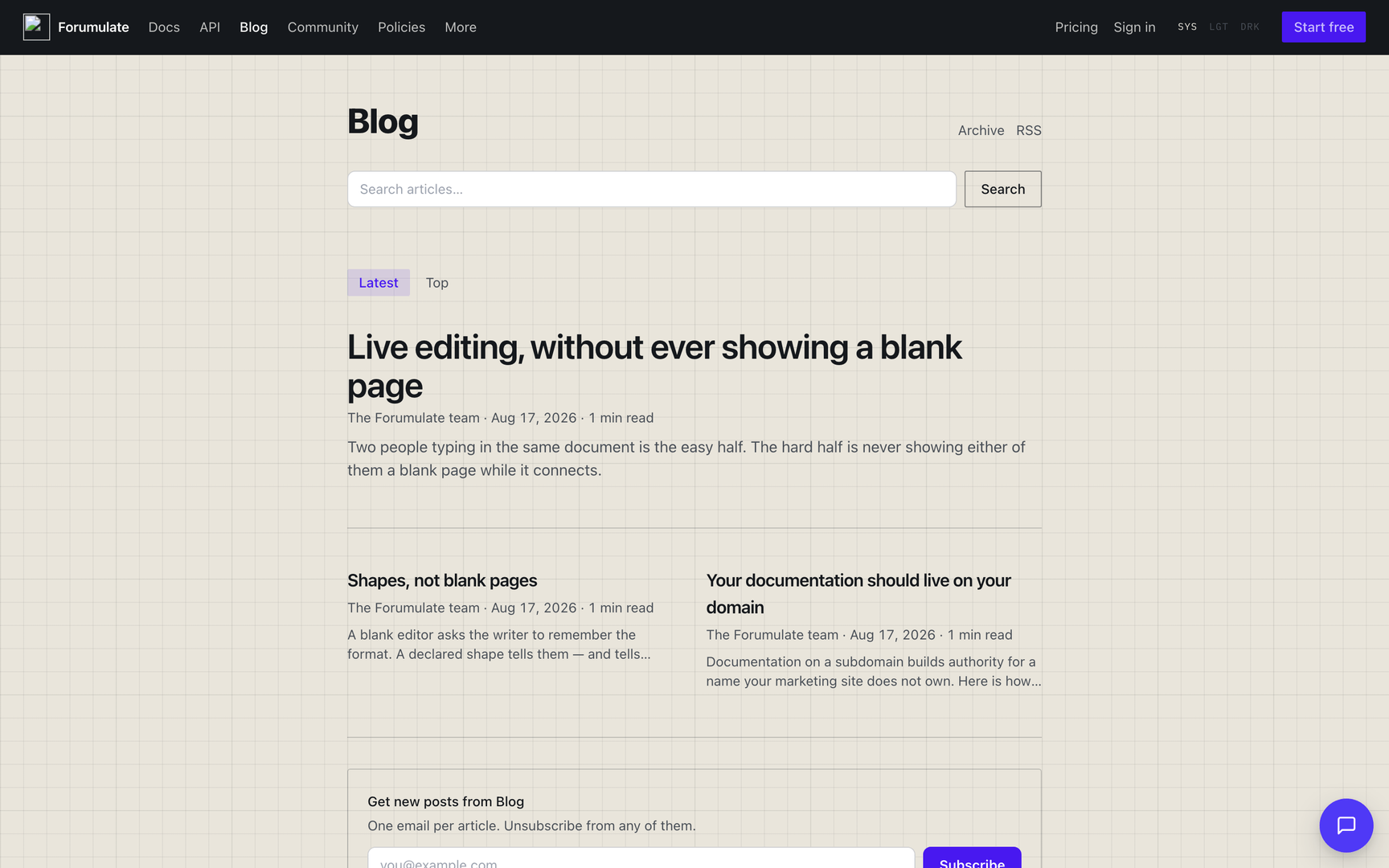
Two space types for writing readers subscribe to: Blog (announcements and longer writing, newest first) and Changelog (what shipped, newest first, in a structured release format). Both are chronological, both offer email subscription and RSS, and both can be embedded as a widget inside your own product.
Blog (BLOG)
Announcements and longer writing. You author articles; drafts stay private until you publish.
This half of the page covers setting a blog up, the post page and its keys, tags and authors, and comments. The blog's own look and hub pages (theme.blog), its addresses and feeds, the newsletter, the podcast, recommendations, review, publishing pings, outlets and the studio are in Blog spaces. Paid memberships, members-only and password posts, gifts, offers and tips are in Blog memberships, paid posts and password posts.
Set it up
Create a space and choose the Blog type. Its public prefix is
/b/.Write an article. Drafts are private until published; you can schedule publication.
Pick an index layout and a per-article layout (below). Staff author the posts.
Index layouts (presets)
Feed (recommended) — one column, newest first, with the standfirst under each headline.
Grid — a card grid led by the cover images.
Magazine — the newest post writ large, the rest as a grid beneath it.
Front page
The blog's front page is a composed document. Until you edit it, it is generated: the intro band, then the search band and the posts feed (in the order you set), then subscribe and pagination. The posts feed's layout is your index preset — Feed, Grid or Magazine. A blog feed sorts by latest, top or oldest and filters by tags, author, pinned, featured and section; Pin to top and Feature on a post decide what the pinned and featured filters, and a Magazine opener, pick.
A blog can also be a release newsroom, where each post is a drop with a release date, price, retailers and regions, and the blog has a release calendar, “Out now” badges and roundups that update themselves. See A release newsroom on a blog.
Per-article layouts (piece presets)
Clean (recommended) — nothing beside the words; more to read waits at the end.
Contents — an on-this-page rail to the right, for long structured pieces.
Suggested — other posts down the left, magazine-style.
A changelog release has no piece preset, so its rail is asked for on the theme instead: onThisPage: "always" (see Theme your site). The same key adds one to a legal document, the FAQ index or a course lesson, and "never" takes it away from a post that has the Contents preset. It is independent of contentWidth — a wide reader keeps its rail.
One post or release can also set onThisPage for itself. Send it on create, or with PATCH on the post or release, and it overrides the space's value. Send null to hand the decision back to the space. The full rules are in Theme your site.
A post or release can also carry its own look and share card — CSS for that piece only, a partial theme over the space's, a share image separate from its cover (it wins over the cover, the socialImageUrl field and the generated card), its own og title/description and card type, and its own JSON-LD. Send them under customization on create or PATCH; keys merge, and null clears one (or, for the whole object, all of them). The partial theme merges too, key by key at every depth, exactly as the space theme's PATCH does: {"theme": {"paletteDark": {…}}} keeps the post's colorScheme and palette, and {"theme": {"paletteDark": null}} removes just that. A post's theme takes the token keys — colours, palettes, fonts, typography, colorScheme, components, widths, layout, motion — and post, so one story can have its own head, cover and rail. It cannot take the space's logo or chrome; set the logo pair (logoUrlLight, logoUrlDark) on the space, and the post's colorScheme picks which one its header shows:
{ "customization": { "shareImageUrl": "/api/assets/…", "ogTitle": "We shipped it" } }In the console they are under Page look & sharing in the post's details, and on each release in the changelog manager. The rules are in Theme your site → Per-page customization.
The two authored sections
Standfirst — one or two sentences. This is the line that appears in listings and link previews.
The post — the body, written however it wants to be written.
Both are marked required on the shape, and "required" here means publishing refuses an empty one — but only for a post that is actually written in those sections. The rule in full, because the two halves surprise people in opposite directions:
A post authored in sections with a required one left empty is refused —
422, naming the slot, fromPOST …/blog/{id}/publishand/items/{id}/publishalike.A post written as prose, with no section blocks at all — which is how Markdown and nearly every import arrives — has no slots to be empty, so it publishes. Refusing it would make every post written before its space grew a shape unpublishable.
A post with no body at all is refused, and this guide said it published until the rule moved. An empty post is not the prose carve-out above: having a body is the whole of the contract for prose, and a post with no body meets neither half, so it is judged as every declared slot being empty. The studio already refused it — it opens an untouched post as an outline — and the same emptiness sent over HTTP now gets the same answer.
The prose case still comes back in the publish response's warnings array, so the answer never pretends the post is finished. Blog spaces has the API detail.
Per-article fields
Cover image (
coverUrl) — shown at the top of the post and in link previews. An SVG cover still shows on the page, but link previews and the post's structured data use the generated card instead, because no scraper shows an SVG.Cover description (
coverAlt) — what the cover shows, in words: the image'salton the post andog:image:alton its share card. Leave empty for a purely decorative image. Settable on a create orPATCHbody, through/items, or in the studio; an empty string clears it. Publishing a post whose cover has nocoverAlt— throughPOST …/blog/{id}/publish,POST …/blog/{id}/stateorPOST …/items/{id}/publish— or editing one that is live, answers with awarningsentry saying so.Byline (
author) — who the post says wrote it (a company posts as itself; a guest post is by the guest). Leave empty to use the publishing account. For several names with roles, seebylinesunder Authors and tags.Subtitle (
subtitle) — a short dek-line for cards, separate from the excerpt.Part of a series (
series) — posts sharing a series name are offered to each other at the end of the piece. There is a per-series page, addressed by the series' slug (Building a design system→/series/building-a-design-system); a link that uses the display name still works and redirects permanently to the slug.Originally published at (
canonicalUrl) — for a post that first appeared elsewhere, so search engines credit that copy.Share image (
socialImageUrl) — used for link previews instead of the cover. It is accepted both at the top level of a create orPATCHbody and asseo.socialImageUrl; both spellings reach the same place, the post's declared fields, so the studio,/itemsand the blog door all read and write one value. An empty string clears it. (It used to be accepted at the top level and silently dropped, and this page used to say so — Crossly C-19.)Who can read it (
access) —public(the default),members,paidorpassword.passwordopens the body to a reader who enters the post's password (set it in the post's settings,PUT /orgs/{orgId}/spaces/{spaceId}/blog-post-password/{topicId}; only a hash is kept, and changing it locks out everyone who had the old one).paidopens the body only to a reader with a live paid membership of the blog (monthly, yearly, founding, a group seat, a gift or a complimentary one, billed on the organization's own Stripe account —PUT /orgs/{orgId}/spaces/{spaceId}/blog-membershipsets the prices; the whole of it is in Blog memberships). A members-only post shows a reader who is not signed in its title, standfirst and a preview, then an invitation to sign in; the cut is made by the API on every door that hands out the body (the post read, its.md, the feeds, search snippets, the media zip, oEmbed, the AMP copy and the podcast feed), never only on the page.Preview length (
previewBlocks) — how many top-level blocks (paragraphs, images…) a members-only post shows before the invitation, 1–20. Empty is 3.Format (
format) — how the post is drawn:standard(the default),asideorstatus(a note: no title on its card),quote(the standfirst set as a pull quote),link,image,gallery,videooraudio(the media leads). New posts start in the blog's default format and with its default tags (Comments and community → Default format, Default tags), stamped when written.Audio (
audioUrl), Audio length (audioDuration), Audio file size (audioBytes) and Episode number (episode) — an audio post: the page gets a player, and with the blog's podcast switched on (Studio → Podcast,PUT /orgs/{orgId}/spaces/{spaceId}/podcast) each such post is an episode of the feed at…/podcast.xml, with the iTunes tags Apple Podcasts and Spotify read.Send to (
delivery) —both(the default: published on the blog and mailed to subscribers),web(published, never mailed) oremail(mailed, never on the blog — an email-only post is unlisted and its address is a 404, so the issue carries the whole post and no link).Newsletters (
newsletters) — which of the blog's newsletters the issue goes to, by id, comma-separated; empty is every subscriber. The lists are named under Studio → Newsletter (PUT /orgs/{orgId}/spaces/{spaceId}/newsletter), and a reader picks theirs on the subscribe form.Only subscribers labelled (
emailTags) — mail only subscribers carrying one of these labels; empty is the newsletter's default audience (notifyTags).Email-only note (
emailNote) — a paragraph the email issue carries and the web page never shows.Cover on the post (
coverPlacement) —page(the default) orcard-only.card-onlykeeps the cover for listings and link previews and leaves it off the post itself — for a post that opens on its title and its own figures. The theme'spost.cover.show: falsesays the same for every post.
How a post reads
A post's page is arranged by the space's piece layout and, under it, the theme's post key. Every post key is optional, and a space that sets none renders each post exactly as before.
Piece layouts (PUT …/preset with piecePreset, or Design → layout):
Clean (recommended) — nothing beside the words; more to read waits at the end.
Contents — an on-this-page rail to the right.
Suggested — other posts down the left, magazine-style.
Author rail (
article-rail) — authors, date and sharing in a rail down the left; title and body beside it.Meta rail (
article-meta-rail) — date, read time, tags and page actions in a rail to the right.Margin (
article-margin) — an offset column with a wide right margin for contents and margin notes.Split cover (
article-split) — the cover beside the title and standfirst.
The last four are patches over post, not layouts of their own: whatever your theme's post says lands on top of the one you chose. So "Author rail, but sticky off" is piecePreset: "article-rail" plus post.rail.sticky: false.
theme.post (PATCH …/theme; strict — an unknown key is a 422 naming its path; null clears any of it):
Key | Values | What it does |
|---|---|---|
|
| The arrangement. |
|
| What a rail carries, in order: |
|
|
|
| list of | The head's parts in order. Unset is today's ( |
|
| The line above the title. |
|
|
|
|
| Where the tags go. |
|
|
|
| boolean | A rule under the head. |
| boolean | The standfirst under the title as a dek ( |
| ≤ 8 characters | A mark before the dek ("/"). |
|
| The cover on the post. |
|
| The share control. |
|
| More to read. |
|
|
|
|
| How the post's authors read — every byline, guests included, with their roles. |
| boolean | A "Written by" card after the post, with each author's bio. |
| the title band's keys ( | A band behind the head, in the same vocabulary as the theme's title band ( |
|
| The contents rail's type. |
|
| An initial on the body's first paragraph. |
|
| The post's series, with the reader's place in it. |
|
| A per-category template: the first of a post's tags with an entry is patched over the rest. Up to 50. |
Where the rail starts, and the rest of the post's furniture. Every key below is optional and unset is the page as it was, except rail.phone (see there):
rail.start—head(unset: level with the breadcrumb) |body(level with the first paragraph, under the whole head) |masthead(under the masthead band; the same asbodywhen the band wraps the whole head).toc.offsettakes the same words for the contents column of the Contents arrangement.rail.phone—after-head|before-head|hidden: where the post's own rail goes below 1024px. The default is nowafter-head; the left rail used to stack above the breadcrumb and title, which isbefore-head. It holds withrail.start: bodytoo: a right rail under the head used to fall after the whole article on a phone.rail.labels: false— the rail's values stand bare, without the small-caps labels ("Published", "Read time").rail.widthnow widens the rail's column itself (it used to size only the rail's content).pageActions.style—link(unset: "View as Markdown") |menu(a "Copy ▾" menu that copies the post as Markdown or opens it) |panel.look: text(plain words, no border) andplacement: body-end(after the words, no rail needed).split— forsplit-cover:{coverSide: start|end, ratio: 1/1|3/2|2/1|2/3|1/2, above: [kicker, date, title, dek]}.ratiois cover to text (unset3/2, today's 60 / 40);aboveruns those parts across both columns before the split. A split post's sidebar, contents and rail sit beside the body, under the head.offset.start— foroffset: how far the words sit from the grid's start, a length (120px,8rem) or a percentage of the grid (≤60%).header.width—text(unset) |wide(the board, centred on the words) |full(the viewport): the head and its cover, independent of the body. Underoffset, awidehead spans the grid from its start, sooffset.startindents the body alone and the two combine. Everything that runs to the viewport's edge — afullhead or cover, the masthead band, a full-bleed section beside or after the post — is measured against the viewport once the page has laid out, whatever columns it sits in.header.tagStyle—chip|outline|outline-mono|text|eyebrow: the post's tag chips in the card's looks and each tag's own colour (head, byline row and rail). Unset is the filled chip, which now follows the front door'sbadgeStyleas the index does.header.dateCase—upper|none:nonesets aneyebrowdate in sentence case.header.tagsPlacement: "byline-end"puts the tags at the end of thebylineslot when the head lists one (else the meta row), and never a second time in atagsrow.byline.names: false— faces only; each face is the link its name was and carries the name for a screen reader. An author with no portrait keeps the name.breadcrumbStyle—{size: 10–32 (px), color: "#hex", placement: column|grid}.placement: "grid"on a rail layout lifts the crumb out of the words' column to the grid's start, above the rail.share.networks— which networks the share control offers, in your order: any oflink(Copy link),x,linkedin,facebook,hackernews,email,reddit,bluesky,threads,whatsapp, each once. Unset is today's six (link, x, linkedin, facebook, hackernews, email).share.frame—circle(unset) |square|none: aniconsrow's buttons in a circle, a square, or bare glyphs.header.kickerStyle—{font: body|heading|mono, case: upper|none, size: 9–48 (px), color: "#hex", tracking: -0.1–0.5 (em), weight: 100–900, rule: none|start|bar}: the kicker's look (unset: muted bold body 12px caps).rule: "start"is a short dash before the words,"bar"a 1px vertical bar hung in the gutter.header.dateRuletakes the same two marks for the date.header.titleLineHeight— 0.8–2: the headline's line-height (unset: tight, 1.25).header.gap— the space under the title, a length or one per screen size ({"lg": 40, "sm": "1rem"}).header.filedUnder— a sentence about where the post lives, like"Filed under {tags} on {date}. Last updated on {updated}". The tokens are{tags}(linked),{date},{updated},{author}(linked) and{readTime}; anything else in braces is a 422 that names it. Your words render as text, never markup. An empty string is the reader's language default ("Filed under {tags} on {date}"). It is thefiledUnderhead slot, placed under the byline row unlessheader.orderplaces it.rail.phoneLayout—stack(unset) |row|spread: below 1024px the rail reads as one wrapping row ("date · read time · Copy"), its labels dropped;spreadruns that row edge to edge, the last item at the end.byline.initials— an initials disc for an author with no portrait. Unset: on in the "Written by" card (as on feed cards), off in the head's byline row;trueadds it there,falsetakes it off the card.mastheadaddsincludeBreadcrumb(the crumb inside the band),until(cover, unset, the whole head |dek, the band ends under the dek |cover-middle, the band ends through the middle of the cover, which straddles it),contentAlign(end, unset, the head at the band's bottom |start, at its top),paddingBottom(48px,3rem) andink/mutedInk(the words' colours over the band; a hex,transparentor a token).A token in a masthead layer (
bg,surface,ink, …) is the page's colour, not the band'sscheme's: a dark band fading into the page is{"gradient": {"stops": [{"color": "#0d1117"}, {"color": "bg"}]}}and meets the page in light and dark mode alike.
Elsewhere in the theme: components.meta.scope: "date" keeps the meta face and case (font: mono, case: upper) on the dates and off the author names; components.caption.align: "center" centres figure captions; and a quote block takes its own size, blockquote.attrs.size (14–96 px). The theme form's Post page section edits the keys above; the head's slot order, byTag and the masthead's layers stay API keys.
Two neighbouring theme keys reach the post too: footnotes.placement (popover, today; margin, set in the right margin at wide widths; end, numbered after the body) and components.quote ({style: bar|pull, size, align} — every plain quote as a pull quote). A quote, a picture and a row of columns can also say it for themselves — see Authoring.
A tag that carries a page colour (pageScheme/pagePalette on the tag) paints the posts filed under it; a post's own theme still wins.
Round-4 keys (2026-10). Every key is optional; unset is the page as it was. A "length" is any CSS length or a number of px; "per screen size" means one length or {"lg": …, "md": …, "sm": …}.
Spacing.
header.spacing—{top, afterKicker, afterDate, afterByline, beforeCover, afterCover}, each per screen size (unset: 0, 0.75rem, 0.5rem, 0.75rem, 1.5rem, 0).bodyGap— head to body (unset 2rem);paddingTop— above the post (unset 3rem);breadcrumbStyle.gap— crumb to head (unset 1.5rem);masthead.paddingBottomnow also takes one length per screen size.header.dividerGapis the room above the head's rule.What follows the post.
after.width—text(unset) |frame(the whole post frame, rails included) |container(the reader's container): suggested posts, the piece page'safterand theblog-post-endoutlet run that wide; comments stay at the measure.Width.
header.widthandcover.widthtakeframe— exactly the post frame's width, from the grid's start. Awidehead or cover onrail-left/rail-rightis now centred on the frame (it was centred on the text column and clamped to the left edge).The rail.
rail.widthtakes any length (16.875rem,270).rail.gap— rail to words (unset 2.5rem);rail.itemGap— between items (1.5rem; the desktop rail used to space items twice, 48px, while the phone copy had 24px);rail.anchor: "edge"— the words centred on the page and the rail at the frame's edge;rail.dateFormat— the card's date words (short,medium,long,full,day-month,day-month-short,month-year,iso; the order follows the reader's locale).The dek.
header.dekPlacement: "body"moves the standfirst out of the head to the top of the body column, at the words' measure (beside arail.start: bodyrail).The byline.
byline.avatarSize(12–96 px),size(10–32 px),layout(stacked|inline, the role after the name),color(ink|muted|#hex),prefix("By", ≤ 12),handles(each registry author's@handleafter the name — set the handle in Authors).Tags and dates.
header.tagSize(px),tagColor(ink|muted|#hex, over each tag's own),tagLimit(1–20, the rest behind a "•••" chip),tagInk: "neutral"(the theme's ink instead of each tag's colours).header.dateType— the date slot's{font, case, size, color, tracking, weight}(colortakesink, the page's own text colour);header.dateFormat(the card's words),header.dateTime: true(the time of day) andheader.timeZone(an IANA zone; a time is written in UTC unless you name one).The meta row.
header.metaParts— the row's parts in order:byline,date,updated(only when the post was edited a day or more after it was published),readTime,share; unset isbyline, date, readTime.header.metaSeparator(1–3 characters, unset·).metaLayout: "split"pushes the last part to the end.header.divideralso takes{color, width}. "min read" is now in the reader's language.The kicker.
header.kickerStyle.separator(1–3 characters —⊕— refused like a nav separator) andseparatorAt: "each"(before every tag, the first too).Split head.
split.verticalAlign—start|center(unset) |end|spread(round 5)."Filed under".
header.filedUnderStyle—{size: 10–32, labelStyle: normal|italic, labelColor, valueColor}: your words apart from the tags, date and author.Breadcrumb.
breadcrumbStyle.root: {label, href?}(a crumb before the blog's),levels: 2(the post's second tag too; a tag has no parent, so the second level is the second tag),end: {label, href}(a link at the row's end). The page's JSON-LDBreadcrumbListlists the same crumbs.Contents rail.
toc.itemSize(10–24 px),itemColor(ink|#hex),labelColor,rule: false(no line down the entries),intro(a first entry, "Introduction", back to the top of the words).Share.
share.networksis honoured in order, Copy link included (it was always drawn first).share.marks: truedraws the platforms' own marks (X, LinkedIn, Facebook; a monogram for the rest) and an envelope for email;share.label— your label, orfalsefor none;share.comments: trueadds a comment-count pill that jumps to the comments.Author card.
authorCardalso takes{placement: top|end, style: card|inline}— before the words, and/or one line per author (portrait, name in bold, bio) with no "Written by" label.Page actions.
pageActions.style: "panel"— a labelled box with Copy text (the post's words as the reader sees them) and Download all media (GET /public/orgs/{orgId}/spaces/{spaceId}/blog/t/{slug}/media.zip: the cover and every library upload in the body, at most 50 files / 50 MB, never a remote URL; the button is hidden for a post with none; an org that keeps downloads to signed-in readers answers 403).Margin notes. Below 1280px a sidenote's text now follows its paragraph instead of breaking the sentence.
Round-5 keys (2026-10). Every key is optional; unset is the page as it was.
The byline.
byline.weight(100–900; unset 500),font(heading|body|mono; unset the body's),roleSize(9–32 px),roleColor(ink|muted|#hex),separatorbetween an inline name and its role (1–3 characters, unset·;""is a space and keeps the name and role on one line on a phone). The rail's byline takes the same keys.Spacing.
header.spacing.afterDek(per screen size) — the room under the dek, in the head or first in the body.Per-slot width.
header.measure—{title, dek, meta}, eachhead(unset) ortext: in awide/framehead, that slot keeps the words' measure (a frame-wide title over a text-wide dek). Centred whenaligniscenter.Dates in your locale.
header.dateLocaleandrail.dateLocale— a BCP-47 tag (en-GB) whose order and words the head's and the rail's dates take, over the reader's language (as a card'sdateLocale).Breadcrumb.
breadcrumbStyle.blog: falseleaves the blog's own crumb out of the trail ("Home / Engineering"). It needsrootorlevels: 2— a trail keeps a crumb — or the save is a 422. The JSON-LDBreadcrumbListlists the same crumbs.Split head.
split.verticalAlign: "spread"— the text column as tall as the cover, its first part at the top and its last at the foot (a phone reads it asstart).Page actions.
pageActions.look: "text"draws the menu's "Copy ▾" as plain words, not a bordered button.pageActions.placement: "body-end"puts the actions after the words instead of in the rail, so a layout with no rail has them.The rail on a phone.
rail.phoneLayout: "spread"— one row edge to edge, labels dropped, the last item at the row's end.Share.
share.size(10–40 px) — the glyphs' size; aniconsbutton grows with it (the glyph plus 18px; unset 14 in 32).Contents rail.
toc.subItemSize(10–24 px) — the nested entries' size (unset:itemSize). Withtoc.rule: falsethe nested entries keep their indent.Fixed.
bodyGap(and today's 2rem) now opens the space above arail.startbody row, so the rail starts level with the words; every per-screen post spacing (paddingTop,bodyGap,header.spacing.*,breadcrumbStyle.gap,dividerGap) now takes itsmd/smstep (it stayed onlg);after.width: "container"is centred on the page (it started at the text column and ran past the viewport);breadcrumbStyle.gapwithmasthead.includeBreadcrumbis the room under the crumb inside the band (it moved the band down and opened a seam);masthead.overlapsHeadermeets the header with no strip whateveraboveis; sidebar blocks under the rail are spaced byrail.itemGap;metaLayout: "split"no longer draws a separator before the pushed-right part.
Round-6 keys (2026-10). Every key is optional; unset is the page as it was.
The byline.
byline.lineHeight(0.8–3, a multiple) — the name/role pitch, over the stacked pair's 1.25 and the role's 1rem; the rail's byline takes it too.Phone dates and "filed under".
header.dateFormatSm— the head's dates in other words on a phone (≤ 640px; same values asdateFormat).header.filedUnderSm— the phone's own "filed under" sentence, same tokens; a newline in it breaks the line ("Filed under {tags} in {date}\nLast updated in {updated}" withdateFormatSm: "month-year").Dek width.
header.dekWidth— the dek's own measure, a length or one per screen ("490px"under a wider title). Beatsmeasure.dek.Page actions as a card.
pageActions.look: "card"withstyle: "panel"— a filled card of rows: a glyph, a bold label ("Text of this article", "Media in this article"), a pill button at the end ("Copy", "Download"), a rule between the rows.pageActions.background/backgroundDark(#hex, unset the theme's surface) andradius(0–48 px, unset 18).Share label at the end.
share.labelEnd— the label of the row AFTER the words (a string, orfalse), overshare.labelthere:label: false, labelEnd: "Share article"labels the end row only.share.labelStyle: "heading"— a shown label becomes a bold line of its own above the buttons, in the heading face (unsetinline, today's muted prefix).Footnotes after the end parts.
footnotesPosition: "post-end"— withtheme.footnotes.placement: "end", the notes list moves after the share row and the page actions (share → panel → notes). Unsetbody: at the end of the words.The meta row on a phone.
header.metaPhone: "stack"— below 641px the meta row (and the byline row) puts one part per line, with no separators.header.metaRowGap(a length or{sm, md, lg}; unset 0.25rem) — the room between a wrapped row's lines, e.g. the tags at the end of the byline row falling under it on a phone.The separator hangs off the part before it. A wrapped meta row never starts a line with the separator (as the footer's links). One line reads exactly as before.
Tag pills in the head.
header.tagBox: {radius, borderColor}— the pills' corner (px) and border colour.header.tagMore: "tag"draws the "•••" chip like the tags — unfilled, in their border and ink — as a circle (unsetfill, today's grey square). Cards takecard.tagMoretoo.Share boxes.
share.radius(px) andshare.borderColor(#hex) — the share buttons' corner and border, over the frame's.The rail on a phone.
rail.phoneLayout: "between"— one row, every item spaced evenly: the first at the start, the last at the end, the rest centred (date · "5 min read" · Copy).
Round-7 keys (2026-10). Every key is optional; unset is the page as it was.
The page-actions card's anatomy. With
pageActions.look: "card":rowPadding(0–64 px, each row's top and bottom; unset 16),labelSize(10–32 px; unset 15),iconSize(the row glyph, 10–40 px; unset 18),pill: {background, color, height, size, weight, icon}(the pill's fill and ink as#hex, its height 20–64 px, type size 10–24 px, weight, andicon: truefor a trailing glyph after its words; unset the ink-filled pill), andlabels: {copy, download}(the pills' words, e.g. "Copy text" / "Download all media"; unset "Copy" / "Download").End notes without the rule.
theme.footnotes.rule: false— the end-notes list draws no hairline above itself (unset: drawn).Borders in the page's ink.
header.tagBox.borderColorandshare.borderColortake"ink"as well as a#hex: the page's own text colour, so a post wearing a tag's palette draws them in that palette's ink.The contents rail's pitch.
post.toc.itemGap(0–40 px of extra room between entries; unset 0) andpost.toc.lineHeight(a multiple, 0.8–3; unset 1.35)."Filed under" details.
post.header.filedUnderStyletakeslineHeight(a multiple; unset the text's own),valueWeight(100–900, the tags', date's and author's weight) andtagUnderline: false(the tag links without their underline).dateFormat(on the header and on a card) takes"month-year-short": "Sep 2021".The callout's inset and phone treatment (
theme.components.hint).padding(px, one number or{x, y}; withhangthe panel bleeds out by itsx, so the words stay on the column; unset today's 0.8rem × 1.05rem),phone: "bleed"(≤ 640px: the panel runs edge to edge, square, with no side borders, bar, hook or badge, and its words on the page gutter; unsetinset),iconStyle: "ring"(the badge as an outline ring; unsetdisc) andhookRadius(px, theedge: "hook"curl; unset the panel's corner).
Round-8 keys (2026-10). Every key is optional; unset is the page as it was.
The page-actions card on a phone. With
pageActions.look: "card":rowPaddingandlabelSizealso take{sm, md, lg};padding(0–96 px, or{sm, md, lg}) is the card's inline padding, the rows and their rules sitting that far inside it (unset 20);stack(true, or{sm, md, lg}of booleans —{"sm": true}for a phone only) puts each row's pill under its label, at the label's start, with the glyph and label on one line (unset: side by side).Inline code in a callout (
theme.components.hint).codeBackground/codeBackgroundDark(#hex): the fill of inline code inside a callout, so a chip the panel's tint would swallow stays visible (unset: the page's code fill; the dark one falls back tocodeBackground).The bleed callout's bar.
hint.phoneBar: true— withphone: "bleed", keep the leading bar in the style's colour at the screen's edge, the words still on the gutter (unset: no bar).
Around every post: the piece page
PUT /orgs/{orgId}/spaces/{spaceId}/piece-page
{ "sidebar": { "position": "right", "doc": { "type": "doc", "content": [ … ] } },
  "after":   { "type": "doc", "content": [ … ] } }
The blocks composed beside (sidebar) and after (after) every post — "Most popular", a newsletter box, "More in <desk>". The same block model as a front page: spaceFeed, spaceBand (search and subscribe mean something beside a post), sections. A spaceFeed with filter.context: "sameTag" lists the posts that share the one being read's first tag, "sameSeries" the rest of its series; the post itself is never listed, and a context the post cannot satisfy (no series) drops that feed rather than widening it. GET reads it, DELETE removes it. Blog, changelog, events and roadmap spaces take a piece page; the sidebar is drawn beside blog posts only, and after runs under a release, an event or a roadmap item too. Any other type is a 422.
Authors and tags
A tag is stored as a slug (AI & ML → ai-ml) because it is an address and the key posts are matched by. That does not change. What a reader sees is the tag's display name, and a post can credit several people, with roles, including writers who have no account here.
Tag display names, colours and descriptions. The first time a post is tagged AI & ML, the tag ai-ml remembers AI & ML as its display name. A name you set yourself is never overwritten by the next post that spells the tag differently. Set or change it in the studio's blog manager → Tags, or over the API:
PUT /orgs/{orgId}/spaces/{spaceId}/blog/tags/ai-ml
{ "label": "AI & ML", "color": "#ff0066", "textColor": "white",
  "colorDark": "#ff6699", "textColorDark": "#1a0010",
  "gradient": ["#ff0066", "#7c3aed"],
  "description": "Models, evaluation and the people building them.",
  "pageScheme": "dark", "pagePalette": { "primary": "#ff0066" },
  "coverUrl": "/api/assets/…" }
It is a partial update: a field you leave out keeps its value, and null clears one. The path takes the slug. Anything else, like AI%20%26%20ML, gets a 422 that names the slug it would be. An unknown key or a value that is not a colour is a 422 too. gradient is 2–3 #hex stops drawn left to right through the tag's words: the text and eyebrow tag looks and a feed card's kicker show it, while a chip and an outline keep color (a gradient is ink, not a fill). A stop that is not a #hex is a 422 naming it, and null clears it. The community's tag hub (POST …/tag-info) takes the same key, since both write the same tag row. A changelog shares the registry too: a label or colour set on a changelog's tag shows on its index's tag tabs and on its releases' chips (facets.tags and each release's tagInfo carry them). DELETE on the same path resets the tag's display and landing page, and its posts keep the tag. GET …/blog/tag-info lists every tag with its count, including ones you described before their first post.
colorDark and textColorDark are the tag's background and text colour in a dark scheme: a pill filled for a white page is often unreadable on a dark one. The reader swaps them in when the page is dark (the theme toggle set to dark, or the reader's system set to dark while the toggle is unset), on chips, outlines, the tags band's pills and the tag's landing page. Unset, the tag keeps color and textColor in both schemes, as before. Each is a colour or null, held to the same rule as color, and the forum tag hub (POST …/tag-info) takes both too. In the studio they are Background in dark mode and Text colour in dark mode under Tags → a tag.
pageScheme and pagePalette are the colours the tag's pages wear (a story's colour follows its category). pagePalette takes the theme's palette slots.
Tag landing pages. /tag/[tag] opens with the tag's display name, description, colour and cover. Below that it shows the blog front page's own first feed (its layout, columns and fields), narrowed to the tag and paginated, so a category page looks like the blog without anybody composing it. To design one, compose it from blocks exactly as you would a front page: Tags → a tag → Landing page, or
PUT /orgs/{orgId}/spaces/{spaceId}/blog/tags/ai-ml/page
{ "doc": { "type": "doc", "content": [ … ] } }
Every spaceFeed of this blog on the page shows the tag's posts, wherever it sits (in columns, in a section), unless that feed names tags of its own. DELETE puts the generated page back. A tag nobody has published into is a 404, not an empty indexable page.
Several authors, with roles. bylines is the ordered list of names a post credits, up to 10:
PATCH /orgs/{orgId}/spaces/{spaceId}/blog/{topicId}
{ "bylines": [
    { "author": "jane-okafor", "role": "Guest editor" },
    { "name": "Sam Lee", "role": "Designer", "url": "https://sam.example",
      "avatarUrl": "/api/assets/…", "bio": "Draws the diagrams." } ] }
Each entry is a name written for this post (
name, plus optionalrole,url,avatarUrl,bio), or a profile from the author registry (author: <key>). The profile supplies the rest, and arolewritten on the entry wins for this post.byline(andauthor) still work, as the alias of the first entry. Writingbylinesrewritesbyline, and writingbylinealone rewrites the first entry of an existing list.bylines: nullclears the list, and the post goes back to the account that wrote it.Co-author accounts (
POST …/blog/{topicId}/authors, people in your organization) are credited after these names. Names and accounts share the limit of 10. Going over it is a422that says how many of each you sent.An
authorkey nobody registered is a422naming it, and nothing is written.
The author registry is for writers who are not members here: guests, a contributor network, the company itself. Each has a profile that their author page shows. Manage it in Authors, or:
PUT /orgs/{orgId}/spaces/{spaceId}/blog/authors/jane-okafor
{ "name": "Jane Okafor", "role": "Staff Engineer", "bio": "Writes about compilers.",
  "avatarUrl": "/api/assets/…", "url": "https://jane.example",
  "links": [ { "label": "GitHub", "url": "https://github.com/jane" } ] }
PUT replaces the whole profile. The key is lowercase letters, numbers and dashes. Renaming a profile renames it on every post that credits it. Deleting one leaves those posts with the name they were credited under, but not the role, bio and portrait.
Author pages. /author/[name] answers to a registry key, a name, or the slug of a name. It lists every post that credits that person, wherever they sit in the list, and shows the profile (portrait, job title, bio, links) as a ProfilePage.
What the reader API returns. Every article in GET /public/…/blog and GET /public/…/blog/t/{slug} adds these fields. Nothing that was there before changes.
tagInfo:[{ slug, label, color, textColor, colorDark, textColorDark, gradient, description, pageScheme, pagePalette, coverUrl }], one pertagsentry, in order.labelis the slug when no display name is set.bylines:[{ name, role, url, avatarUrl, bio, author, userId }]. It is the resolved list (profiles filled in, co-author accounts last), or the single byline or the account when there is no list.subtitle: a dek-line for cards (subtitleon the create/PATCH), present only when set. It is not the excerpt.
GET /public/…/blog/tags carries each tag's display fields beside tag and count. GET /public/…/blog/tags/{tag} returns one tag and its landing page, and GET /public/…/blog/authors[/{key}] returns the registry. All of them are gated like the blog itself, so a private blog answers 404.
Comments
Two switches, at two levels, and neither of them is comment-settings.
Per post. A post takes comments unless you close it. commentsEnabled is settable on the create and on PATCH …/blog/{topicId}, and there is a door of its own:
POST /orgs/{orgId}/spaces/{spaceId}/blog/{topicId}/comments
{ "enabled": false }
Closing a post hides its existing comments and refuses new ones with a 403.
Per space. PATCH /orgs/{orgId}/spaces/{spaceId}/blog/settings carries the space's community settings — allowAnonymous, moderateComments, moderateAnonymous, whoCanPost, anonymousCaptcha. GET the same path to read them. It is a partial update: a field you leave out keeps the value it has, and the reply is the whole setting rather than the fragment you sent.
Not comment-settings, which is the door its name makes everyone reach for first. That one carries enabled and moderated for comments a reader leaves on a page — a docs page, a legal document, a careers posting. A post's comments are governed by the per-post switch and …/blog/settings, never by it. This page showed comment-settings here while Blog spaces said it never applies, which is two of our own pages answering one question differently.
Who may comment, and the part worth knowing. A post taking comments does not open the space to strangers: a reader with no account is refused with a 401 until you say otherwise, because allowAnonymous defaults to off. Turn it on with PATCH /orgs/{orgId}/spaces/{spaceId}/blog/settings; null clears the choice again. The same switch governs anonymous reactions, and the two give the same answer, so an unconfigured blog offers a logged-out reader no write path at all. Moderation and anonymity are separate switches: moderateComments holds a member's comment back for approval, it does not require an account. Blog spaces has the whole table of comment settings and their defaults.
A CAPTCHA guards anonymous posting only where the platform has a Turnstile or hCaptcha key. Turning allowAnonymous on where it has neither is refused — 422, naming the field — unless you also send anonymousCaptcha: "off", which is an owner saying they have their own defence and accepting the consequence. Connect a provider with PUT /orgs/{orgId}/captcha. That refusal exists because the old behaviour was to accept the switch and open the box.
What readers get
Sort by Latest or Top.
Search across the blog.
Tag landing pages (
/tag/[tag], with the tag's display name, colour and description, and composable), series pages (/series/[slug]), author pages (/author/[slug], with a profile for registry authors), and an archive (with per-month pages). Series and author pages answer at the slug of the name; the name itself (or any other spelling, such as a capital letter) redirects there permanently.Search appearance. Page 2 onwards of a front page (
?page=2, or a feed block's own?fp3=2) names itself as its canonical, and a page number past the last page, or one that is not a number, is a 404. A post'sdateModified/article:modified_timemove when its content is edited, not when a tag or the cover changes. A title longer than 60 characters drops the· Sitesuffix. A front page whose title band is hidden keeps its<h1>for search engines and screen readers. Without a space description (studio → Search & sharing), a blog front page's meta description is its intro, else "The latest posts from <site>."RSS (
/rss.xml) and JSON Feed (/feed.json), both advertised in the page head.An email subscribe form (double opt-in) placed below the posts — a stranger is asked to subscribe only after seeing what you publish.
An embed widget: append
?embed=1to get the five newest posts, bare, sized for an iframe on your own site. Links open out of the frame.Blog / BlogPosting structured data for each listing.
Changelog (CHANGELOG)
What shipped, newest first. You author releases; readers can subscribe. Releases are a flat chronological list — a version is a field on a release, not a group it lives in.
Set it up
Create a space and choose the Changelog type. Its public prefix is
/c/.Publish a release. Staff author releases.
Pick a layout (below).
Bringing a changelog across (import and GitHub sync)
Import releases on the changelog's console (or POST /orgs/{orgId}/spaces/{spaceId}/changelog/import) reads a Keep a Changelog CHANGELOG.md — its ### Added / Changed / Fixed / Removed / Deprecated / Security headings land in the release's own sections, and the release gets a matching Type — a GitHub repository's releases (tag → version, pre-releases on the Beta channel), or a Beamer, Headway, LaunchNotes, Canny or Featurebase export as JSON or CSV. Releases keep their real dates and are published without emailing subscribers (publish: false keeps them as drafts). Preview first: dryRun: true lists what it would write. A release the changelog already has — same version, or same title on the same day — is skipped, so running it again brings only what is new; when an answer says truncated, run it again to continue. To keep GitHub releases arriving on their own, connect the repository from the same panel (it uses the space's Git connection) and add the webhook URL it shows to the repository with the Releases event: each release you publish or edit there is written here, and a new one notifies subscribers like any release you publish.
Every source, its field mapping and what it skips are in Importers.
The layouts (presets)
Timeline (recommended) — every entry in one dated line, newest first.
Releases — entries grouped under the version that shipped them. Entries with no version gather under "Unversioned" at the end.
Gutter — the timeline with each release's date in a left column, on a thin rail with a dot per release; the date stays in view while its release scrolls past. It is the Timeline with
theme.changelog.datePlacement: "gutter"preset for you — adatePlacementyou set in the theme still wins.Rows — one ruled line per release: date, type, title and tags, newest first.
Front page
The changelog's front page is a composed document. Until you edit it, it is generated: the intro band, the releases feed (the rows layout under the Releases preset, feed under Timeline), then the archive and subscribe bands. A changelog feed sorts by latest or oldest and filters by tags, version, pinned and featured; a release takes Pin to top and Feature like a blog post.
Layout and look (theme.changelog)
Every key is optional; leaving one out keeps the changelog exactly as it renders today. Send them in the space theme (PATCH /orgs/{orgId}/spaces/{spaceId}/theme) — like every theme key, a misspelled one is a 422 naming its path. A release can carry its own in customization.theme.changelog, which beats the space's for that page.
{
  "changelog": {
    "datePlacement": "gutter",
    "gutterWidth": 328,
    "columnWidth": 624,
    "indexWidth": 1200,
    "stickyDate": true,
    "dateTone": "ink",
    "entryGap": 120,
    "rail": { "style": "dotted", "color": "#1c1d1f", "dot": true, "latestDotColor": "#f2994a" },
    "header": {
      "subtitle": "",
      "right": ["search", "subscribe"],
      "rule": true,
      "padBottom": 72,
      "firstGap": 40
    },
    "release": { "layout": "side", "side": ["back"], "metaAbove": true, "shareStyle": "link" },
    "filters": {
      "search": true,
      "versions": true,
      "tags": true,
      "style": "tabs",
      "overflow": "scroll"
    }
  }
}
The index. datePlacement puts the date below the title (default), above it, or in a left gutter (gutterWidth px, 120–480, default 240) beside a release column (columnWidth px; default the reader's text width). The gutter date is sticky unless stickyDate: false, and on a phone it folds back above the title. dateTone: "ink" sets it in full ink rather than muted. entryGap (px) is the space between releases. showTags: true puts each release's tags under it as chips.
indexWidth is how wide the index runs, apart from a release page: text (the single column's width), list, board or max (the reader's published widths), or a px cap (480–1600). Unset, it is the text width — or the column plus the gutter with the date gutter. Wider than the timeline, the head (title, tabs, search, rule) spans it and the releases keep their own width, left-aligned under it. A composed front page's own width beats it. Each is also in the studio under Design → Changelog index.
The rail. On the single column the rail is each release's left border; in the gutter it is one line down the list. rail.show: false removes it; style is solid, dotted or dashed; width 1–4 px; color a hex. dot puts a dot on the rail at each release (on by default in the gutter), dotSize 4–16 px, dotColor, and latestDotColor for the newest release on the first page — the top of the line reads as "now".
The head. header.subtitle rewords the line under the changelog's name (an empty string removes it); the front door's Subtitle switch (frontDoor.showSubtitle: false) removes it whatever it says. header.right orders what sits at the end of the title row — subscribe (the RSS link) and search (a search pill); the front door's subscribeStyle: "icon" draws the subscribe link as a bell. header.rule: true rules the head band off. header.padBottom (px, 0–200) is the space under the head, above its rule — on the band that draws the rule (the title band with header.rule, the filter band with filters.rule), else under the title band. header.firstGap (px, 0–240) is the space between the head and the first release (default 2.5rem). typography.levels.indexTitle sizes the changelog's name apart from the releases' titles.
The filter band. A changelog's reader has three bands the generated front page never places, so they appear only where you put them in a composed front page: filters (a search box, a version picker and a tab per tag), search (the box alone) and tags (the tabs alone), each {"type": "spaceBand", "attrs": {"band": "filters"}}. They narrow the list by URL — ?q=, ?version=, ?tag= on the index's own address — so every filtered view can be linked, and paging keeps the filter. filters.search / versions / tags switch the parts (versions and tags show when the changelog has any), style is tabs or pills, maxTags caps the tabs (most used first, default 12), rule rules the band off, and overflow: "scroll" keeps the tabs on one row that scrolls sideways when they do not fit (a phone) instead of wrapping (wrap, the default). A placed tags or filters band's own style beats the theme's. A tab shows the tag's label from the tag registry (PUT …/blog/tags/{slug} with label — the same registry a blog uses), else its slug; so do the release chips. The search matches a release's title, summary, version and body; the public archive GET …/changelog takes the same q and answers facets.versions / facets.tags with counts and each tag's registry display (label, the slug when none is set, plus its colours), and every release — in the archive and on a release page's GET …/changelog/t/{slug} — carries tagInfo.
The release page. release.layout: "side" gives the page a left column holding release.side's items, in the order you list them — any of back, date, version, tags, share (default: all five) — sticky unless release.sticky: false. Whatever is not in the column stays in the main one. release.metaAbove: true lifts the main column's date, version and share into one row above the title, date on the left and share on the right, with a rule under it. When the on-this-page rail is on, the side column's items run as a row above the head instead, so the rail keeps its place.
A release page's shell, and a phone. release.width takes indexWidth's words (text, list, board, max, or 480–1600 px) and runs the release page's shell that wide; the release keeps its own width inside it, centred, or at the shell's start with release.align: "start" (the side column with it). header.rightPhone is what the title row keeps below 640px — e.g. ["subscribe"] keeps the bell and drops the search pill; unset is the same as header.right. rail.phone: "hide" drops the timeline rail, its dots and the indent on a phone, so the dates sit flush left. The studio's Design → Changelog index has all four.
The subscribe band's options. A composed changelog's subscribe band takes the blog's options — heading, body, buttonLabel, placeholder, layout, inputStyle, frame — and the page now shows them (they were stored and ignored).
Share on releases. Off by default. Turn on the front door's Share link on release pages (frontDoor.showShare: true); release.shareStyle is link (default), row or icons — the blog's share control, in the changelog's place.
Round-4 keys (2026-10-11)
header.rightRow:title(today) ortabs— the subscribe link and the search pill move to the end of the tag-tab row of the first placedtagsorfiltersband (the title row when the page places neither).header.searchStyle:defaultorcompact(the glyph inside the field, no visible button) — for the head's search and the filter band's;header.searchWidththe field's width in px (120–480, unset 12rem).release.backGlyph:arrow(today's "←"),chevronornone.release.shareIcon(share,link,none) andrelease.shareInk(muted,ink; unset the brand) for thelinkshare style.The release meta row (back link, date, share) now sits on one baseline.
A changelog's
tagsandfiltersbands take exactly what the changelog draws:style(tabs,pills,text— the active tab in ink, no rule),overflow,activeColor,activeTextColor,inactive,limit(beatsfilters.maxTags) andallLabel. Anything else (rss,showSearch,pills-filled,phone, …) is a 422 naming the key; it used to be accepted and then drawn as nothing.
Round-5 keys (2026-10-11)
header.rightRowPhone:titleortabs— where the subscribe link and the search pill sit on a phone (below 640px), apart fromrightRowon a wide screen. Unset is the same asrightRow.{"rightRow": "tabs", "rightRowPhone": "title"}puts them on the tag-tab row on a desktop and beside the changelog's name on a phone.header.searchHeight(px, 28–64) andheader.searchFill(a hex): the search field's height and fill, for the head's search and the filter band's.release.dateTone:mutedorink— the date on a release PAGE, apart from the index'sdateTone. Unset followsdateTone.
Round-7 keys (2026-10-11)
header.titleGap(px 0–120, or{sm, md, lg}): the room between the title row and the filter/tab row under it. Unset: 1.5rem.release.spacing: {top, afterBack, afterMeta}(px, each one value or{sm, md, lg}): the room above a release page's head (unset 3rem), after the way back (unset 1.5rem before ametaAboverow, 0.5rem before the title) and between ametaAboverow and the title (unset 2.5rem).
Collapsible sections
The expandable block — markdown :::details Title or :::expandable{title="Fixes"} — draws as the browser's bare <details> until you give it a look. Per block: style (plain, row, card, bordered) and icon (native, chevron, plus, none), in markdown :::expandable{title="Fixes" style="row" icon="chevron"}. A styled block with no icon gets a chevron. For every collapsible on the space at once, set theme.components.expandable:
{
  "components": {
    "expandable": {
      "style": "row",
      "icon": "chevron",
      "iconPosition": "end",
      "border": "#1c1d1f",
      "pad": 16
    }
  }
}
row is a full-width ruled row (a run of them reads as one list), card a filled rounded box, bordered an outline. iconPosition is start or end; border, background and ink are hex; radius (0–64) and pad (0–48) are px. A block's own style/icon beat the theme's. The same block and keys work on blog posts and docs pages.
Per-release fields
Version (
version) — what people will call this release (e.g. "2.4.0"). Shown as a badge.Type (
type) — what kind of change it is: New, Improved, Fixed, Deprecated, Retired or Security (rename the options in Design → shape). Drawn as a coloured badge (theme.changelog.typeBadge); the index filters by it (?type=) and so do the feeds.Released on (
released) — when it reached customers.Channel (
channel) — Stable, Beta, or Canary. A beta note beside a stable one, unlabelled, reads as shipped.Also (
moreTypes) — further kinds of change in the same release; each draws its own badge beside the Type.Pre-release (
prerelease) — not ready for everyone (a GitHub import sets it from the release's pre-release flag). A pre-release, like anything on a Beta or Canary channel, never wears the Latest chip (theme.changelog.latestLabel).Target (
target) — the branch or commit the release was cut from; a GitHub import fills it from the tag.Try it (
ctaUrl) — where a reader goes to use the thing.Available on (
plans) — which plans get it (rename the options to your own plans in Design → shape).Contains a breaking change (
breaking, a toggle) — flags the entry and puts the upgrade notes first.Announce in the widget (
announce) — push this release harder than the rest: once per reader, in the in-app widget, as a bar, a corner toast or a dialog.Announce until (
announceUntil) — the last day the boost shows. Empty is until the next boosted release.Audience (
audience) — who sees it in the in-app widget (the widget's?seg_<field>=segments). Empty is everyone.Release family (
family) — a named group of versions; what a reader picks to see one generation of changes.Overview of its family (
familyOverview, a toggle) — this release introduces its family, and its summary leads the family view.Who can read it (
visibility) —public(the default) ormembers: a members-only release is listed, served and fed only to signed-in readers; to everyone else its address is a 404 and the feeds and widget leave it out.Highlight in the list (
listHighlight, a toggle) — marks the entry on the index.In the list, show (
listBody) —full,summaryortitle: how much of this one release the index shows, over the changelog's own setting.Leave out of the list (
hideFromIndex, a toggle) — published at its own address and in the feeds, not listed on the changelog page.Source code (
sourceUrl) — a link to the tag or source archive the release was built from.
The structured "Keep a Changelog" sections
A release body is authored as named slots: In short (a one-paragraph summary, required), then Added, Changed, Fixed, Removed, Deprecated, Security (each a list), Downloads (a list of links to the release's files — a GitHub import fills it from the release's assets), and Upgrading (prose, only when someone has to do something).
Comments
A release is a topic, so readers can comment on one and react to it. The public doors are
POST /public/orgs/{orgId}/spaces/{spaceId}/changelog/t/{slug}/comment
POST /public/orgs/{orgId}/spaces/{spaceId}/changelog/t/{slug}/react
and the thread is served with the release at …/changelog/t/{slug}. The timeline page does not carry every release's replies inline — it would be an N-query load on a page that is mostly reactions — so the reader fetches a release's comments when somebody opens its thread.
This section used to be a copy of the blog's, word for word, and it told a changelog owner to send commentsEnabled to …/blog/settings. That body is refused (422: the settings door is strict and carries no such field) and the endpoint is not the changelog's. The two halves of this page look alike and they are not the same, which is how the copy survived — so what follows is the changelog's own answer.
Who may comment is the space's community settings, not a per-release switch. There is no …/changelog/settings: the community settings are the SPACE's, and for a space that is not a blog the door the product itself names is
PATCH /orgs/{orgId}/spaces/{spaceId}/forum/settings
{ "allowAnonymous": true }
allowAnonymous defaults to off, so a reader with no account is refused with a 401 naming that field and that door until you turn it on (a signed-in account that may not comment is the 403 — the status says which of the two it is) — and the same switch governs anonymous reactions, which answer the same way, so an unconfigured blog offers a logged-out reader no write path at all; null clears the choice. moderateComments and moderateAnonymous decide whether a comment waits for approval; whoCanPost: "members" requires an account to comment at all. The table of every community setting and its default is in Blog spaces — they are one set, shared by every community surface.
Not comment-settings. That door carries enabled and moderated for comments a reader leaves on a page — a docs page, a legal document, a careers posting — and never reaches a release.
A CAPTCHA guards anonymous commenting only where the platform has a Turnstile or hCaptcha key. Turning allowAnonymous on where it has neither is refused — 422, naming the field — unless you also send anonymousCaptcha: "off", which is an owner saying they have their own defence. Connect a provider with PUT /orgs/{orgId}/captcha.
What readers get
RSS feed, linked in the page and advertised in the head.
Email subscribe (double opt-in), the same machinery the blog uses, placed below the releases.
A "what's new" embed widget: append
?embed=1for the bare timeline, sized for an iframe inside your own product.
Review, expiry, families and API releases (CL-6)
Review before publish.
POST …/changelog/{id}/reviewasks for review (blog.author);…/review/approveand…/review/request-changes(blog.publish, a note required for changes) decide it;DELETE …/reviewwithdraws. Turn on "Releases need an approval before they publish" on the changelog (space settingrequireReview, or the org defaultchangelog.require_review) and publish/schedule answer 409 until the release is approved; editing an approved release sends it back to review. Webhooks:release.review_requested,release.reviewed. The console list narrows with?review=in_review.Expiry.
expiresAton a release (create/PATCH,nullclears): past it the release leaves the index, its page (410), feeds, widget,.mdand the sitemap.Release families. Declare
familyon releases (and mark onefamilyOverview): the filter band shows one chip per family,?family=narrows, and the overview release leads the family view.Version range.
?from=2.3&to=2.5lists what shipped after 2.3 up to 2.5, by ship date (any version scheme). Withtheme.changelog.filters.versions: truethe band also draws "Compare versions".The whole changelog as one file.
{mount}/changelog.md(and/changelog.mdbeside a site's changelog mount) is every published release in Keep a Changelog form, listed first in the space'sllms.txt.API diffs as releases. Resync an OpenAPI spec with
changelog: { spaceId, publish? }and every resync that changes operations files a release there: versioned byinfo.version, taggedapi, typed New/Improved/Retired, breaking when an operation was removed; a draft unlesspublish: true.
Looks (theme.changelog.look)
A changelog has six looks. Two are baselines and four are patches:
default(unset) — the labelled, summarised changelog: each entry wears its change type as an outlined badge with its glyph, the date as an eyebrow above the title, a dot on the rail per release, a summary with a "Read release" link to the release's page (entry.body: summary), the cover above the title, tag chips (at most 3, then "+N"), the facts as chips, Try it as a button and the roadmap requests the release closed as a list.paper— the changelog exactly as it was before those defaults: no type badge, the date under the title, the whole body, no cover, no tag chips.cards,minimal,product,devlog— each a patch of independent keys laid under yours (never stored), over the default. Anything you set yourself wins under any look, and keys from different looks mix, because each key means one thing on its own.
| Modelled on | Keys it sets |
|---|---|---|
| Beamer, LaunchNotes |
|
| GitHub Releases |
|
| Linear |
|
| Stripe's API changelog |
|
Three combinations no look ships, each a PATCH …/theme body:
{ "changelog": { "look": "devlog", "surface": { "style": "card", "radius": 8 }, "entry": { "cover": "above-title" } } }Devlog's type chips and mono versions, on cards with their pictures.
{ "changelog": { "look": "product", "entry": { "body": "collapsed" }, "latestLabel": "Current" } }The Linear-style gutter and side column, with each release folded behind "Full notes" and a "Current" chip on the newest stable release.
{ "changelog": { "look": "minimal", "datePlacement": "gutter", "rail": { "dot": true } } }GitHub-style title rows, with the dates down a gutter on a dotted rail.
In the studio the looks and every key below are under Design → Changelog: every setting.
Entry and surface keys
Every key is optional; unset is the look's default.
Key | Values | What it does |
|---|---|---|
|
| How much of each release the index shows. |
| ≤ 60 characters | The summary's link words ("Read release"). |
|
| Where an entry's cover sits on the index. |
|
| The cover's frame. |
|
| Who each release credits, on the index. |
| boolean | "4 min read" in each entry's meta. |
|
| The change-type badge. |
|
| The version pill; |
|
| A badge naming the channel; |
|
| How a breaking release is flagged. |
| chip looks; 1–12; | The tag chips, how many before "+N", and whether they wear the tag's colours. |
|
| The release's declared facts, and Try it as a link or a button. |
|
| The roadmap requests the release closed. |
|
|
|
|
| A "Latest" chip (or your words) on the newest release that is not a pre-release or on a Beta or Canary channel. Unset: none. |
|
| What each entry sits on. A card defaults to 12px corners and 20px padding; |
|
| The index's head: a line over the title, and a picture across the head ( |
|
| What an empty changelog, or a filter that matches nothing, says. |
|
| The release page's side column as a panel. |
| 0–32 | Covers' corners on the index and the release page (unset 12). |
|
| What a phone shows of each entry, apart from the desktop. |
|
| The rail, its dots, the newest dot and the search fill under a dark scheme. |
|
| "Was this helpful?" under a release, with a box to say why ( |
One release's own look
A release's customization.theme takes the token keys (colours, palettes, fonts, typography, colorScheme, components, widths, layout, motion) and the changelog namespace, which merges over the space's for that page. Any other type's namespace — post included — is a 422 naming it (a key that was already stored and is sent unchanged is left alone). In the console it is Page look & sharing on the release; in the studio, This piece's theme.
The piece page's after blocks run under every release too; its sidebar is drawn on blog posts only.
The in-app "What's new" widget
Drop the widget into your own product:
<script src="https://forumulate.com/api/embed/changelog.js"
        data-org="ORG_ID" data-space="SPACE_ID" async></script>
It is a bell with an unread count that opens a panel of your newest releases, each linked to its own page on the changelog's address (your domain when it has one). It costs one request: GET …/changelog/widget returns the owner's settings and the releases together.
Your defaults live in theme.changelog.widget; a data-* attribute on one embed beats them for that embed.
Key | Default | What it does |
|---|---|---|
|
| Where the panel opens: |
| on | The unread count on the bell. |
| 10 | Releases listed, 1–30. |
| 360 | The panel's width, 260–640 px. |
| 10 | The panel's corners, 0–32 px. |
| "What's new" in the embed's language | The panel's heading. |
| on | Each card's cover, change type and summary; the "See all releases" link. |
| off | Each card's tags. |
|
|
|
| off | A search box over the listed releases. |
| off | Filter chips by change type and tag. |
| off | "Was this helpful?" under each card, with a box to say why. |
| on | Show a boosted release (Announce in the widget: bar, toast or dialog) once per reader. |
| off | Open the panel by itself when there is something new since the reader's last look. |
|
| The unread badge's corner ( |
| off | Keep identified readers' read state on the server (below). |
|
| An NPS question at the top of the panel (below). |
The panel follows the space theme's accent and colour scheme.
Per embed: data-mode, data-counter="false", data-limit, data-width, data-radius, data-accent, data-font, data-announce="false", data-locale (else the page's lang), data-mount (a CSS selector to render into), and data-selector to open the panel from your own button instead of our bell. Other builders and packages are in SDKs and integrations.
Segments. data-user-<field>="a,b" shows a reader only the releases meant for them: data-user-plans="Pro" hides a release whose Available on names other plans, data-user-audience="Admins" reads Audience. A release that leaves the field empty is for everybody; values compare case-insensitively.
From your code. window.Forumulate.changelog has open(), close(), toggle(), count() and onCount(cb); the script's parent receives a bubbling forumulate:count event. Opens and clicks are counted once per reader and day, in Readers.
Identified readers
With identify on, add data-user-id to the embed and a reader's "seen up to" is kept on our side, so the unread count follows the person across devices rather than living in one browser. Only a keyed hash of the id is stored.
Turn on verification so nobody can move someone else's marker by typing their id: Widget readers → Turn on verification in the studio, or PUT /orgs/{orgId}/spaces/{spaceId}/changelog/widget-secret (space.update), returns a secret once. Your server then computes, for each signed-in user, the hex HMAC-SHA256 of their id under that secret and puts it on the embed as data-user-hash. With a secret set, a call without a valid hash is refused. PUT again rotates the secret; DELETE turns verification off; GET says whether it is on.
Tours and NPS
Product tours. Studio → Tours and NPS, or PUT /orgs/{orgId}/spaces/{spaceId}/changelog/tours with up to 20 tours. Each is {id, name, path, steps}: on pages of your app whose path starts with path (/ for every page), the widget walks the reader through 1–12 steps, each pointing at an element (selector) with a title and a line (body), once per reader. The studio takes one step per line: CSS selector | title | text.
NPS. theme.changelog.widget.nps — {"show": true, "question": "…", "everyDays": 90} — asks 0–10 and why at the top of the panel, again only after everyDays (7–365). The score, promoters, passives, detractors and what people wrote are in Tours and NPS and at GET …/engagement/nps?days=90.
Drafting notes, templates and duplicates
Draft from pull requests. In the release composer, Draft from pull requests (
POST …/changelog/draft-notes,blog.author) gathers the merged pull requests of the space's GitHub connection since the last release (sinceto choose), sorted into the release's sections by label and conventional-commit prefix and crediting each contributor, beside what shipped on the roadmap.GET …/changelog/pull-requestslists them. Write the notes with AI (ai: true, optionalinstruction) rewrites the same evidence for customers with your organization's own AI provider (Settings → AI). It is a draft: nothing is created until you post it.Release templates. Up to 20 saved starting points — a weekly roundup, a security advisory — each
{id, name, title, markdown, fields, tags}:PUT …/changelog/release-templates(blog.publish), and Release templates / Save this draft as a template in the composer.Duplicate.
POST …/changelog/{releaseId}/duplicate(studio: Duplicate) copies a release as a new draft.
Chat channels
Studio → Chat channels, or POST /orgs/{orgId}/spaces/{spaceId}/changelog/channels with {kind, url, label?}: a release is posted to Slack, Discord, Microsoft Teams, Google Chat or a generic JSON webhook (kind: slack, discord, teams, google_chat, webhook) when it becomes public, each in its own payload. url is the incoming-webhook address from that tool, checked when saved. GET lists them, DELETE …/channels/{channelId} removes one.
Readers, pings and templates
Readers (studio) is the same per-release panel a blog has: views, unique readers, widget clicks, Try it clicks, helpful votes, comments and — with newsletter tracking on — email opens and clicks; CSV at
GET …/engagement/export.csv. See Blog spaces → Readers.Publishing pings — IndexNow (key at
/indexnow.txtunder the changelog's address), update services and webmentions — work as on a blog; see Blog spaces → Publishing.Templates. Four changelog templates start from these looks — Pressline Cards, Tickmark Minimal, Launchpad Product and Devlog Terminal — and Letterpress is a newsletter-first blog with paid and free tiers. See Creating a space.
Outlets
A theme component can place HTML in these. None wraps; release outlets carry release.title, release.slug and release.version.
Outlet | Pages | Where |
|---|---|---|
| index | Above the releases. |
| index | Below the releases and the pager. |
| index, hub | The foot of every release entry (repeats). |
| hub | A tag, people, a person — above the list. |
| hub | The same pages, below the list. |
| release | Under the title, date and facts, above the notes. |
| release | In the side column (under the head when there is none). |
| release | After the notes, before the previous/next links. |
Where it is in the studio, and the defaults
Studio sections: Releases (the composer: templates, draft from pull requests, duplicate), Newsletter, Readers, Widget readers, Publishing pings, Tours and NPS and Chat channels; the look is Design → Changelog: every setting.
Every behaviour here is off or unchanged until you choose it: the widget keys default as in the table, tours and channels are empty, NPS is off, identified readers are off, review is off (space requireReview → organization changelog.require_review → off), and publishing pings are off.
What you need to set up
Drafting from pull requests: a GitHub connection on the space (a GitLab or Bitbucket connection drafts from the roadmap and change requests only). Without one, the draft has no pull requests in it.
Writing the notes with AI: your organization's own AI provider under Settings → AI. Without one,
ai: trueis refused with the reason.Chat channels: an incoming-webhook address from each tool.
Verified widget readers: a secret from Widget readers, and your server computing
data-user-hash. Withoutidentify, read state stays in the reader's browser; withidentifybut no secret, ids are taken at their word.Email open and click counts: the organization setting
community.newsletter_tracking.
Subscriber email: confirming, leaving and tracking
The email subscribe form on a blog or a changelog is double opt-in, and the links in those emails land on addresses that carry no session; the signed token in the link is the only credential. None needs configuring.
Confirming. A new subscriber is emailed a link to the confirmation page, which calls POST /newsletter/confirm with
{ "token": "…" }. A token it does not know is a 404.Leaving. The unsubscribe page calls POST /newsletter/unsubscribe the same way. Broadcasts also carry an RFC 8058 one-click
List-Unsubscribeheader: mail clients POST/newsletter/one-click-unsubscribe?token=…on their own, and a person who opens the same link, GET/newsletter/one-click-unsubscribe?token=…, is redirected to the unsubscribe page. Status, legal and careers subscriptions use the same one-click address.Opens and clicks. Only when the organization setting
community.newsletter_tracking("Measure opens and clicks in newsletters", off by default) is on, a broadcast carries a pixel at GET /newsletter/open/{token} and its links are rewritten through GET/newsletter/click/{token}?u=…, which records the click and redirects to the originalhttp(s)address. The pixel always answers a transparent image, even when nothing was recorded, and unsubscribe links are never rewritten. Whether you need your readers' consent for this is yours to manage.
All of these are limited to 20 requests a minute per client.
A docs page's Updates block as RSS (wave D)
A docs page holding an updates block has a feed at /p/<org>/<space>/<page>/rss.xml (API: GET /public/orgs/:orgId/spaces/:spaceId/pages/:pageRef/updates.rss): one item per entry, linked to its #update-<date> anchor. format: "list" draws the block as a dated index.
In the API
Every operation below is also reachable from the other surfaces without a dedicated command. forumulate api <Operation> calls it from the CLI, the JavaScript SDK has a typed method for each one (the last column names it; the Python and Go clients are generated from the same spec), and an agent reaches the organization-scoped ones through the MCP call_api tool. Where a CLI command or MCP tool exists too, the last column names it. Operation names link to the API reference.
Blog
Operation | Request | What it does | Shortcuts |
|---|---|---|---|
| Get the blog in a space |
| |
| Create the blog in a space |
| |
| List tags in a space (blog) |
| |
| Get the search in a space (blog) |
| |
| List bookmarks in a space (blog) |
| |
| List settings in a space (blog) |
| |
| Update settings in a space (blog) |
| |
| Get the blog |
| |
| Update the blog |
| |
| Delete the blog |
| |
| Get the history in a space (blog) |
| |
| Create the schedule in a space (blog) |
| |
| Delete the schedule in a space (blog) |
| |
| Create an author in a space |
| |
| Create a comment in a space (blog) |
| |
| Publish the blog |
| |
| Create the state in a space (blog) |
| |
| Pin the blog |
| |
| Create a reply in a space (blog) |
| |
| Create the bookmark in a space (blog) |
| |
| Create the recover in a space (blog) |
|
Blog Membership
Operation | Request | What it does | Shortcuts |
|---|---|---|---|
| Get the blog membership in a space |
| |
| Replace the blog membership in a space |
| |
| List members in a space (blog membership) |
| |
| Create a member in a space |
| |
| List stats in a space (blog membership) |
| |
| Delete the member (spaces blog membership) |
|
Blog Newsletter Settings
Operation | Request | What it does | Shortcuts |
|---|---|---|---|
| Read a space’s newsletter settings |
| |
| Change a space’s newsletter settings |
| |
| Send a post’s newsletter issue to yourself |
| |
| Send a draft broadcast to yourself |
| |
| Import subscribers from a CSV |
|
Blog Podcast
Operation | Request | What it does | Shortcuts |
|---|---|---|---|
| Read a blog’s podcast settings |
| |
| Change a blog’s podcast settings |
|
Blog Post Password
Operation | Request | What it does | Shortcuts |
|---|---|---|---|
| Whether a blog post has a password |
| |
| Set or clear a blog post’s password |
|
Captcha Admin
Operation | Request | What it does | Shortcuts |
|---|---|---|---|
| Get the captcha in an organization |
| |
| Replace the captcha in an organization |
| |
| Delete the captcha in an organization |
|
Changelog
Operation | Request | What it does | Shortcuts |
|---|---|---|---|
| Get the changelog in a space |
| |
| Create the changelog in a space |
| |
| Get the compile in a space |
| |
| List widget stats in a space |
| |
| Publish the changelog |
| |
| Get the changelog |
| |
| Update the changelog |
| |
| Delete the changelog |
| |
| Create the schedule in a space (changelog) |
| |
| Delete the schedule in a space (changelog) |
|
Changelog Channels
Operation | Request | What it does | Shortcuts |
|---|---|---|---|
| List channels in a space (changelog) |
| |
| Create a channel in a space (changelog) |
| |
| Delete the channel (changelog) |
|
Changelog Duplicate
Operation | Request | What it does | Shortcuts |
|---|---|---|---|
| Duplicate a release as a new draft |
|
Changelog Import
Operation | Request | What it does | Shortcuts |
|---|---|---|---|
| Import the changelog |
|
Changelog Notes
Operation | Request | What it does | Shortcuts |
|---|---|---|---|
| List the connected repository’s merged pull requests |
| |
| Draft release notes from pull requests and shipped work |
|
Changelog Release Templates
Operation | Request | What it does | Shortcuts |
|---|---|---|---|
| List the changelog’s release templates |
| |
| Replace the changelog’s release templates |
|
Changelog Tours
Operation | Request | What it does | Shortcuts |
|---|---|---|---|
| List the widget’s product tours |
| |
| Replace the widget’s product tours |
|
Changelog Widget Secret
Operation | Request | What it does | Shortcuts |
|---|---|---|---|
| Whether the changelog widget verifies identified readers |
| |
| Create or rotate the changelog widget’s identity secret |
| |
| Stop verifying identified widget readers |
|
Public Blog
Operation | Request | What it does | Shortcuts |
|---|---|---|---|
| Subscribe the blog |
| |
| Get the blog in a space (public reader) |
| |
| Get the permalink in a space (blog) |
| |
| Read a blog article as markdown |
| |
| Read a blog article |
| |
| Create the react in a space (public reader blog t) |
| |
| Create the comment in a space (blog) |
|
Public Blog Browse
Operation | Request | What it does | Shortcuts |
|---|---|---|---|
| List tags in a space (public reader blog) |
| |
| Get the search in a space (public reader blog) |
| |
| Archive the blog |
| |
| List days in a space |
| |
| List series in a space (blog) |
|
Public Blog Media
Operation | Request | What it does | Shortcuts |
|---|---|---|---|
| A published post's library media as one zip |
|
Public Blog Taxonomy
Operation | Request | What it does | Shortcuts |
|---|---|---|---|
| Get the page in a space (public reader hubs) |
| |
| Get the tag (public reader spaces blog) |
| |
| List authors in a space (public reader blog) |
| |
| Get the author (blog) |
|
Public Changelog
Operation | Request | What it does | Shortcuts |
|---|---|---|---|
| Create the comment in a space (changelog) |
| |
| Read a changelog release as markdown |
| |
| Read a changelog release |
| |
| Create the react in a space (public reader changelog t) |
| |
| Subscribe the changelog |
| |
| Get the changelog in a space (public reader) |
|
Public Changelog Feeds
Operation | Request | What it does | Shortcuts |
|---|---|---|---|
| RSS feed of the changelog |
| |
| Atom feed of the changelog |
| |
| JSON feed of the changelog |
|
Public Changelog Markdown
Operation | Request | What it does | Shortcuts |
|---|---|---|---|
| Read the whole changelog as markdown |
| |
| Search a changelog's published releases |
|
Public Changelog Widget
Operation | Request | What it does | Shortcuts |
|---|---|---|---|
| Get the widget in a space |
| |
| Create the hit in a space |
| |
| Get the watch in a space |
| |
| Replace the watch in a space |
| |
| Delete the watch in a space |
|
Public Changelog Widget Identity
Operation | Request | What it does | Shortcuts |
|---|---|---|---|
| Get where an identified widget reader has read up to |
| |
| Move an identified widget reader’s read state forward |
|
Public Updates Rss
Operation | Request | What it does | Shortcuts |
|---|---|---|---|
| RSS feed of updates |
| |
| A docs page's Updates block as an RSS feed |
|
Release Review
Operation | Request | What it does | Shortcuts |
|---|---|---|---|
| Create the review in a space (changelog) |
| |
| Delete the review in a space |
| |
| Approve the review |
| |
| Create a request change in a space |
|
Space Piece Page
Operation | Request | What it does | Shortcuts |
|---|---|---|---|
| Get the piece page in a space |
| |
| Replace the piece page in a space |
| |
| Delete the piece page in a space |
|