Run server-side code with Ridgeline Functions
Run server-side code with Ridgeline Functions
Build API routes, webhooks and agent request handlers that scale with traffic. Test locally and trace deployed requests with the Ridgeline CLI.
- Handle a request
- Stream a response
- Run after a response
export default {
  fetch(request: Request) {
    return new Response('Hello from Ridgeline!');
  },
};export default {
fetch() {
const body = new ReadableStream({
start(c) { c.enqueue('chunk'); c.close(); },
});
return new Response(body);
},
};import { after } from '@ridgeline/functions';
export default {
fetch() {
after(() => log('sent'));
return new Response('ok');
},
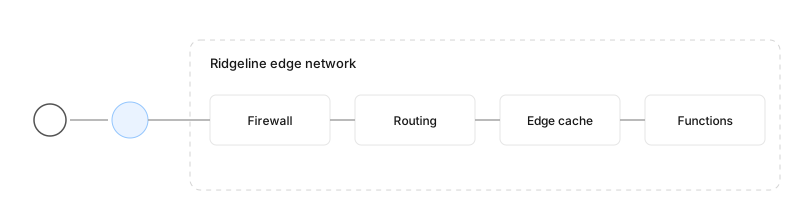
};When you deploy, Ridgeline sets up the tools and optimisations for your framework. It keeps latency low by routing traffic through the Ridgeline edge network, and places your functions in a specific region when you need control over data locality.
Create your first function
Add a file under api/ and export a fetch handler. Ridgeline turns every file into an endpoint.
- Next.js (/app)
- Next.js (/pages)
- Other frameworks
export function GET(request: Request) {
  return new Response('Hello from Ridgeline!');
}
export default function handler(req, res) {
res.status(200).send('Hello from Ridgeline!');
}export default { fetch: () => new Response('Hello from Ridgeline!') };How the function lifecycle works
Stage | What happens | Billed |
|---|---|---|
Cold start | An instance boots and loads your code | No |
Active | Your handler runs | Yes, per millisecond of CPU |
Waiting | Your handler awaits I/O | No |
Idle | The instance stays warm for the next request | No |
Why functions should run near your data
A function in fra1 calling a database in iad1 adds about 90 ms per query. Put the function where the data is.
Viewing function metrics
Open Observability → Functions to see invocations, duration percentiles and errors per route.
Explore Ridgeline Functions
Runtimes — Node.js, Python and Go
Configuring functions — duration, memory and region