Build a payment form or use a prebuilt checkout page to start accepting online payments.
Not a developer?
Use Ledgerline's Payment Links or an app from our partner directory to start accepting payments with no code.
- Hosted page
- Embedded form
- Mobile
Redirect to a Ledgerline-hosted payment page. See how this compares to the embedded form.
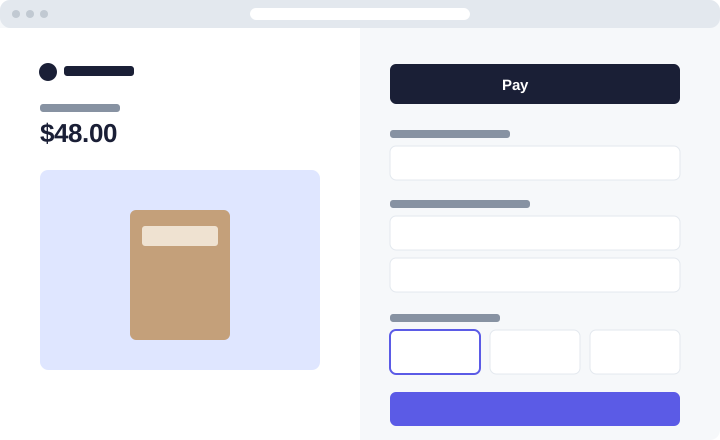
Integration effort — Low code
Integration type — Redirect to a hosted payment page
UI customization — Limited: fonts, colours and your logo
Mount a payment form on your own page with the Ledgerline.js UI components. See Embedded payment form.
Present a native payment sheet in your iOS or Android app. The mobile SDKs share the server endpoint below.
First, create a Ledgerline account. Then install an official library to access the Ledgerline API from your application:
- Ruby
- Node.js
- Python
# Available as a gem
sudo gem install ledgerline
npm install ledgerline --savepip3 install --upgrade ledgerlineRedirect your customer to hosted checkout
Server-sideAdd an endpoint on your server that creates a Checkout Session. A Checkout Session is the programmatic representation of what your customer sees when they're redirected to the payment form. Configure it with parameters such as:
line_itemsto set the price and currency of what you're chargingsuccess_urlto redirect your customer after they complete the paymentmetadatato attach your own order ID
Note
Checkout Sessions expire 24 hours after creation by default.
- Ruby
- Node.js
- Python
# This example sets up an endpoint using the Sinatra framework.require 'json'require 'sinatra'require 'ledgerline'client = Ledgerline::Client.new(ENV['LEDGERLINE_SECRET_KEY'])post '/create-checkout-session' do session = client.checkout.sessions.create({ line_items: [{ price_data: { currency: 'usd', product_data: { name: 'Canvas tote' }, unit_amount: 4800, }, quantity: 1, }], mode: 'payment', success_url: 'https://example.com/success', metadata: { order_id: '6735' }, }) redirect session.url, 303endconst express = require('express');const ledgerline = require('ledgerline')(process.env.LEDGERLINE_SECRET_KEY);const app = express();app.post('/create-checkout-session', async (req, res) => { const session = await ledgerline.checkout.sessions.create({ line_items: [{ price_data: { currency: 'usd', product_data: { name: 'Canvas tote' }, unit_amount: 4800, }, quantity: 1, }], mode: 'payment', success_url: 'https://example.com/success', metadata: { order_id: '6735' }, }); res.redirect(303, session.url);});app.listen(4242);import os, ledgerlinefrom flask import Flask, redirectledgerline.api_key = os.environ["LEDGERLINE_SECRET_KEY"]app = Flask(__name__)@app.post("/create-checkout-session")def create_checkout_session(): session = ledgerline.checkout.Session.create( line_items=[{ "price_data": { "currency": "usd", "product_data": {"name": "Canvas tote"}, "unit_amount": 4800, }, "quantity": 1, }], mode="payment", success_url="https://example.com/success", ) return redirect(session.url, code=303)Add a checkout button to your website
Create an HTML page with a checkout button that sends your customer to the server-side endpoint you just wrote.
checkout.html <html> <head> <title>Buy a canvas tote</title> </head> <body> <form action="/create-checkout-session" method="POST"> <button type="submit">Checkout</button> </form> </body></html>Verify your integration
Click the checkout button.
You're redirected to the hosted payment form.
Pay with the test card
4242 4242 4242 4242, any future date and any CVC.
Show a success page
Client-sideIt's important for your customer to see a success page after they submit the payment form. Host this page on your site.
success.html <html> <head><title>Thanks for your order!</title></head> <body> <h1>Thanks for your order!</h1> <p> We appreciate your business. If you have any questions, email <a href="mailto:orders@example.com">orders@example.com</a>. </p> </body></html>Next, update the
success_urlparameter in your Checkout Session endpoint to point to this new page.Handle post-payment events
Server-sideLedgerline sends a
checkout.session.completedevent when a customer completes a Checkout Session. Use a webhook endpoint to receive these events, which might trigger you to:Send an order confirmation email to your customer.
Log the sale in a database.
Start a shipping workflow.
Listen for events rather than waiting for your customer to be redirected back. Triggering fulfilment only from your success page is unreliable: the customer can close the tab before it loads.
Test your integration
Card number
Scenario
4242 4242 4242 4242The payment succeeds.
4000 0025 0000 3155The payment requires authentication.
4000 0000 0000 9995The payment is declined with
insufficient_funds.See Testing for the full list.