Accept a payment
Build a payment form or use a prebuilt checkout page to start accepting online payments.
Not a developer? Use Ledgerline's Payment Links or an app from our partner directory to start accepting payments with no code.
- Hosted page
- Embedded form
- Mobile
Redirect to a Ledgerline-hosted payment page. See how this compares to the embedded form.
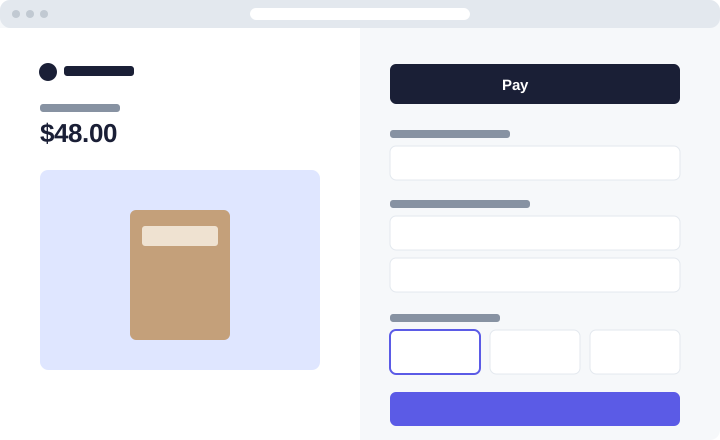
Integration effort — Low code
Integration type — Redirect to a hosted payment page
UI customization — Limited: fonts, colours and your logo
Mount a payment form on your own page with the Ledgerline.js UI components. See Embedded payment form.
Present a native payment sheet in your iOS or Android app. The mobile SDKs share the server endpoint below.
First, create a Ledgerline account. Then install an official library to access the Ledgerline API from your application:
- Ruby
- Node.js
- Python
# Available as a gem
sudo gem install ledgerline
npm install ledgerline --savepip3 install --upgrade ledgerline- Redirect your customer to hosted checkout
Add an endpoint on your server that creates a Checkout Session. A Checkout Session is the programmatic representation of what your customer sees when they're redirected to the payment form. Configure it with parameters such as:
line_itemsto set the price and currency of what you're chargingsuccess_urlto redirect your customer after they complete the paymentmetadatato attach your own order ID
Checkout Sessions expire 24 hours after creation by default.
- Ruby
- Node.js
- Python
# This example sets up an endpoint using the Sinatra framework.require 'json'require 'sinatra'require 'ledgerline'client = Ledgerline::Client.new(ENV['LEDGERLINE_SECRET_KEY'])post '/create-checkout-session' do session = client.checkout.sessions.create({ line_items: [{ price_data: { currency: 'usd', product_data: { name: 'Canvas tote' }, unit_amount: 4800, }, quantity: 1, }], mode: 'payment', success_url: 'https://example.com/success', metadata: { order_id: '6735' }, }) redirect session.url, 303endconst express = require('express');const ledgerline = require('ledgerline')(process.env.LEDGERLINE_SECRET_KEY);const app = express();app.post('/create-checkout-session', async (req, res) => { const session = await ledgerline.checkout.sessions.create({ line_items: [{ price_data: { currency: 'usd', product_data: { name: 'Canvas tote' }, unit_amount: 4800, }, quantity: 1, }], mode: 'payment', success_url: 'https://example.com/success', metadata: { order_id: '6735' }, }); res.redirect(303, session.url);});app.listen(4242);import os, ledgerlinefrom flask import Flask, redirectledgerline.api_key = os.environ["LEDGERLINE_SECRET_KEY"]app = Flask(__name__)@app.post("/create-checkout-session")def create_checkout_session(): session = ledgerline.checkout.Session.create( line_items=[{ "price_data": { "currency": "usd", "product_data": {"name": "Canvas tote"}, "unit_amount": 4800, }, "quantity": 1, }], mode="payment", success_url="https://example.com/success", ) return redirect(session.url, code=303)Add a checkout button to your website
Create an HTML page with a checkout button that sends your customer to the server-side endpoint you just wrote.
checkout.html <html> <head> <title>Buy a canvas tote</title> </head> <body> <form action="/create-checkout-session" method="POST"> <button type="submit">Checkout</button> </form> </body></html>Verify your integration
Click the checkout button.
You're redirected to the hosted payment form.
Pay with the test card
4242 4242 4242 4242, any future date and any CVC.
- Show a success page
It's important for your customer to see a success page after they submit the payment form. Host this page on your site.
success.html <html> <head><title>Thanks for your order!</title></head> <body> <h1>Thanks for your order!</h1> <p> We appreciate your business. If you have any questions, email <a href="mailto:orders@example.com">orders@example.com</a>. </p> </body></html>Next, update the
success_urlparameter in your Checkout Session endpoint to point to this new page. - Handle post-payment events
Ledgerline sends a
checkout.session.completedevent when a customer completes a Checkout Session. Use a webhook endpoint to receive these events, which might trigger you to:Send an order confirmation email to your customer.
Log the sale in a database.
Start a shipping workflow.
Listen for events rather than waiting for your customer to be redirected back. Triggering fulfilment only from your success page is unreliable: the customer can close the tab before it loads.
- Test your integration
Card number
Scenario
4242 4242 4242 4242The payment succeeds.
4000 0025 0000 3155The payment requires authentication.
4000 0000 0000 9995The payment is declined with
insufficient_funds.See Testing for the full list.