Stacked branches
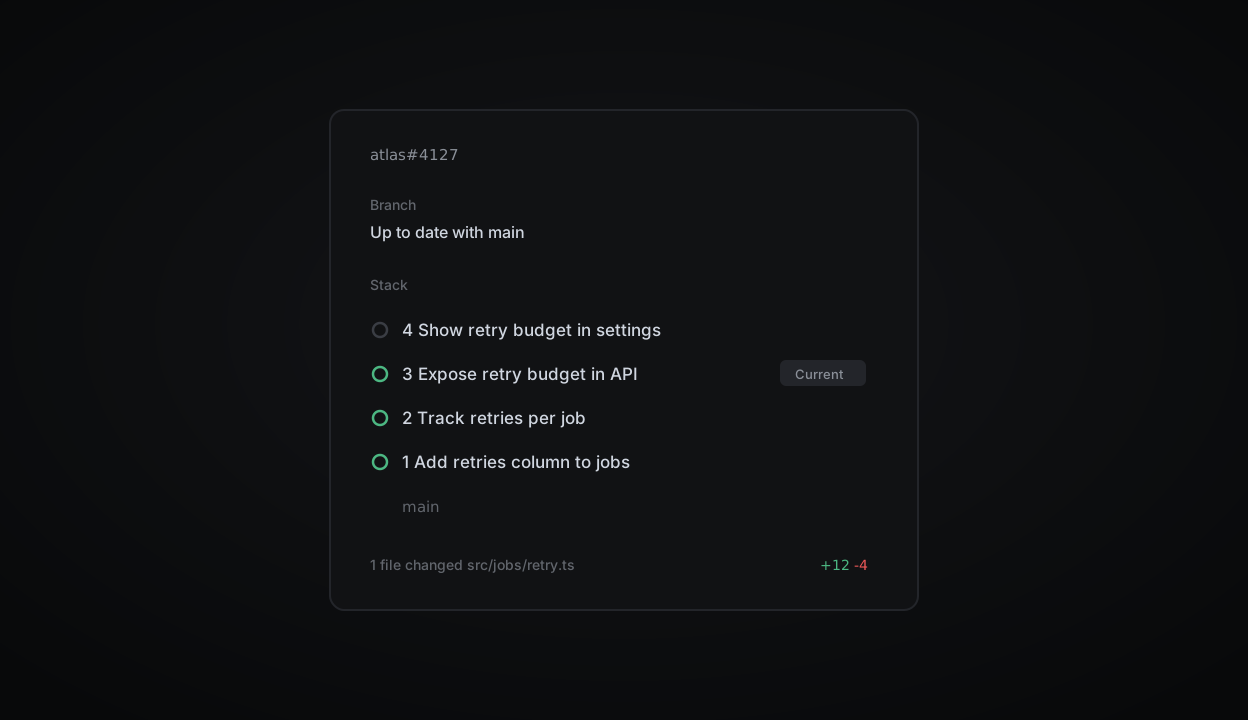
Stacked branches are now shown in Plinth Reviews. Step through a stack and see review, checks and merge state at a glance. Related branches collapse into one row in the review queue, next to the issue and project they belong to.
For stacks created with your git host's native tooling, you can preview every affected branch before merging the current one and those beneath it.
Read more in the stacking guide.
Watch changes land while the agent works
Diffs now update live during a Plinth agent run, including uncommitted changes from follow-up prompts. Follow the code as it evolves, catch a wrong turn early, and steer before or after a pull request opens.
Usage explorer and spend limits
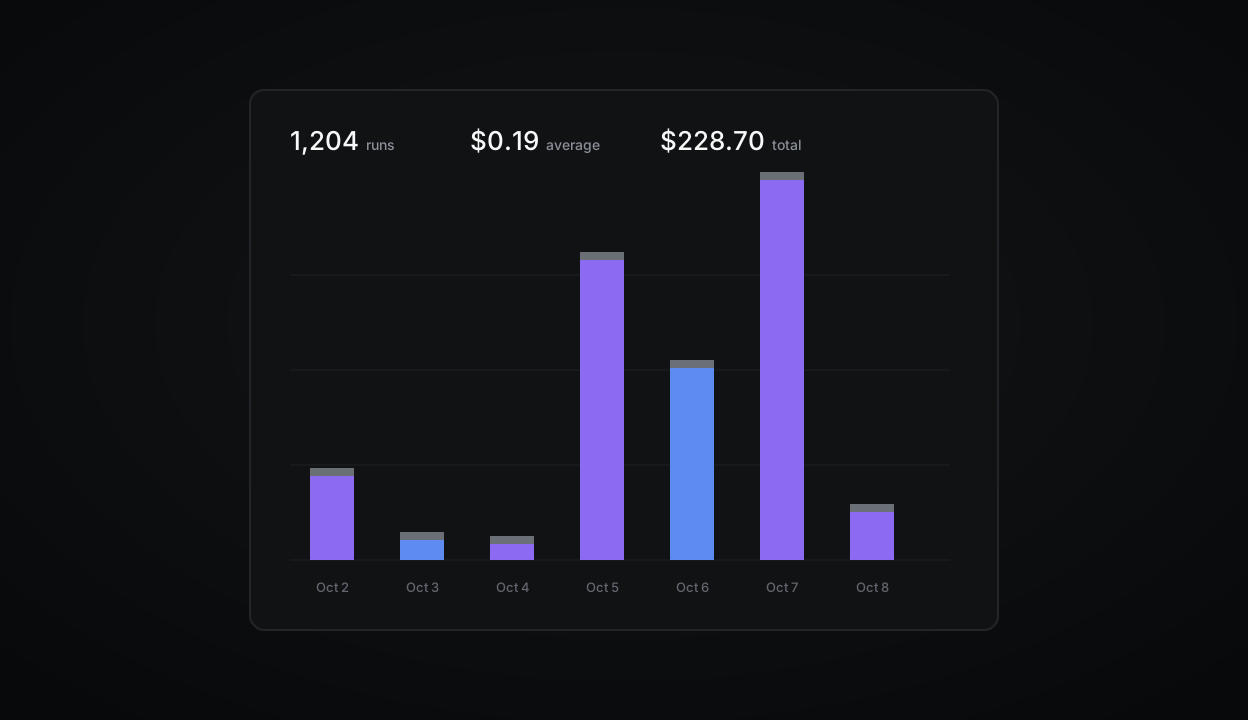
Admins can now see what is driving agent usage and set limits to manage spend.
The usage explorer breaks spend down by team, feature, person or automation over any time range. Compare total spend, run count and average cost per run, then select a group in the chart or table for a closer look.
Guided reviews on Starter
Guided reviews walk you through the most important changes in a pull request. They are now available on the Starter plan.
Fixes
Fixed an issue where the board scrolled to the top after moving a card
Due dates now respect the workspace time zone in exported CSVs
Resolved a crash when pasting very large tables into a doc
Fixed sub-issue counts in the sidebar after bulk moves
Improvements
Faster initial load for workspaces with more than 50 teams
Cycle reports now include carried-over scope
The command menu remembers your last three actions
API
Added
retryBudgetto theJobobjectWebhooks now include
previousStateon status changesRate limit headers are returned on every response
Keyboard shortcuts
GthenIopens the inbox from anywhere⌘⇧,copies a link to the current view